
CM2WebShare License Update
LICENSE DETAILS
Please contact FYB for a valid license if you are yet to obtain one for your Connector.
UPLOADING THE LICENSE FILE
-
Navigate to CM2Webshare within a browser
-
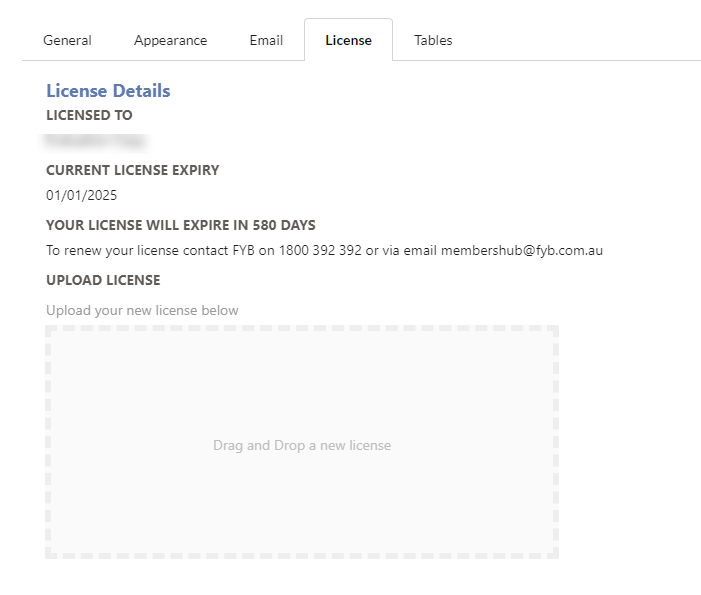
Click on the Admin button from the navigation bar, then select the License tab
-
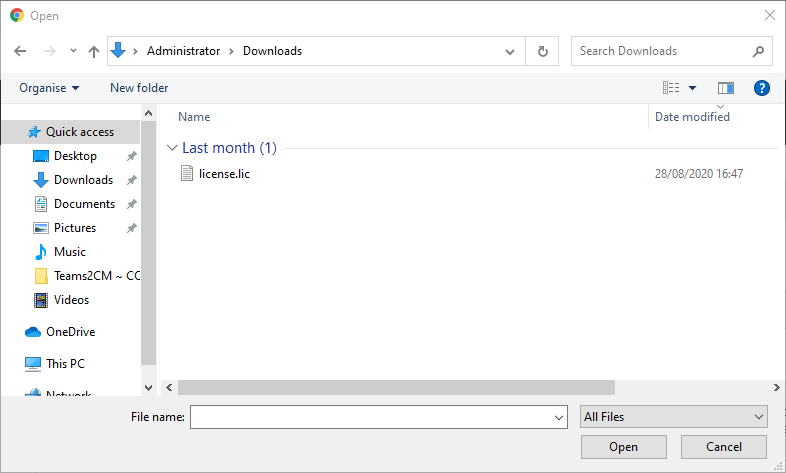
Drag and drop the new license file onto the drag and drop area, or click the drag and drop area to select a file to upload.
-
If a valid license has been selected it will be automatically updated and you will receive a green success message
ADDITIONAL DATASETS
Please ensure that you update the license completing the above process for all additional datasets.