
DocUControl Release Notes 1.2.x
OVERVIEW
This release of the FYB DocUControl includes all fixes and enhancements that were shipped in the previous releases of the product. For details of the previous release, please refer to the relevant release notes.
RELEASE 1.2.5
NEW FEATURES
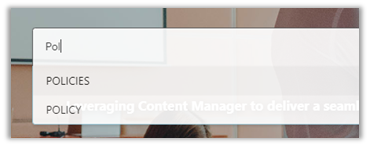
AUTO COMPLETE SUGGESTION SEARCHING
The main quick search bar on the home screen now provides auto complete suggestions as you type.
ADDING KEYWORDS
You can now add and remove keywords on the document directly from the interface. In addition, a keyword is also searchable by clicking on the word.

DOWNLOAD DOCUMENT
A download button has been added to the document view screen. Users can now download the original copy of the document from the interface.
BROWSING TAB ORDERING
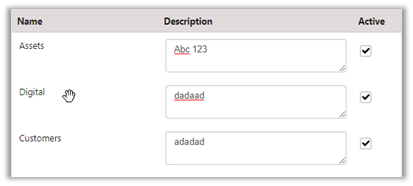
Browsing tab items can now be given a custom order via the admin console.
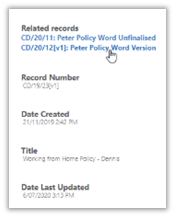
RELATIONSHIP NAVIGATION
Added ability to navigate to related records from the document view.
ENHANCED FEATURES
EMAIL NOTIFICATION
Admin can now disable or enable email notifications for overdue and new draft version documents.
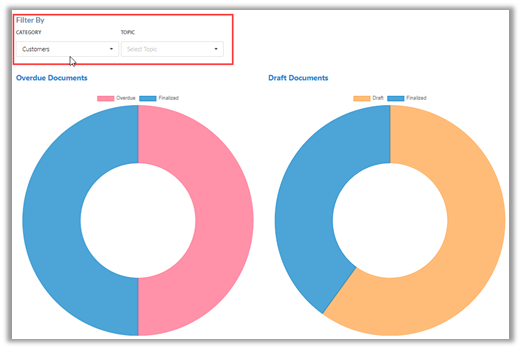
STATISTIC FILTERING
Statistic data can now be filtered based on chosen categories and topics
INACTIVE RECORD TYPES
The record type selection in the admin console has been updated to no longer include inactive record types
BUG FIXES
ADMIN CONSOLE LOAD TIME
Improved performance of the admin console to reduce a significant load time when starting up the console
FOOTER PLACMENT
Resolved an issue where the footer was always static at the bottom of the page. This is now dynamic and will not display until the bottom of the page has been reached.
DROP-DOWN MENU OFFSET
Resolved issue where the drop-down menu had too much padding and was sitting further out than it should
LIMITATIONS
INVISIBLE TABLE BORDERS
If a table in a word document has been set to not display, DocUControl will still render the table and it will be visible via the interface. The resolution for this is to set the border on the table in the word document to No Border. This will then display in DocUControl without the border.