
Link Generator License Update
LICENSE DETAILS
Please contact FYB for a valid license if you are yet to obtain one for your Connector.
DESKTOP APPLICATION - UPLOADING THE LICENSE FILE
-
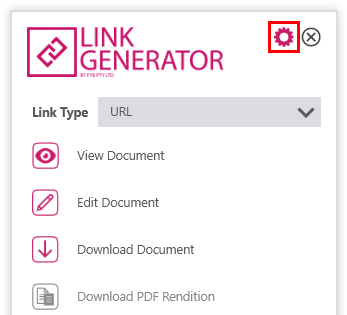
Open Content Manager and trigger Link Generator to appear
-
Click on the settings (cog) icon in the top right corner of the window
-
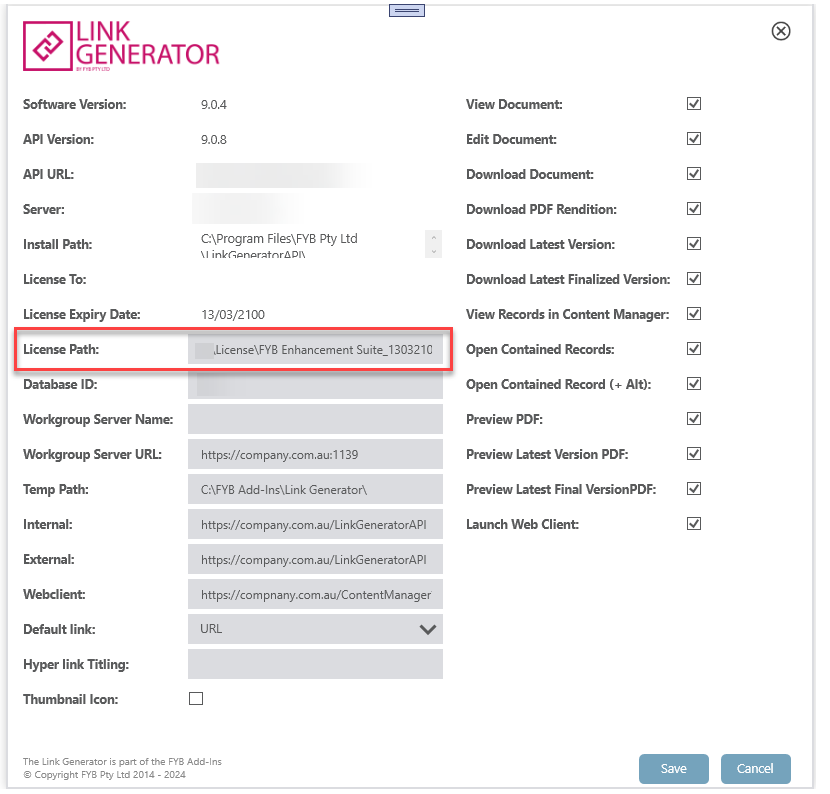
Within the Administration menu, click into the License path field
-
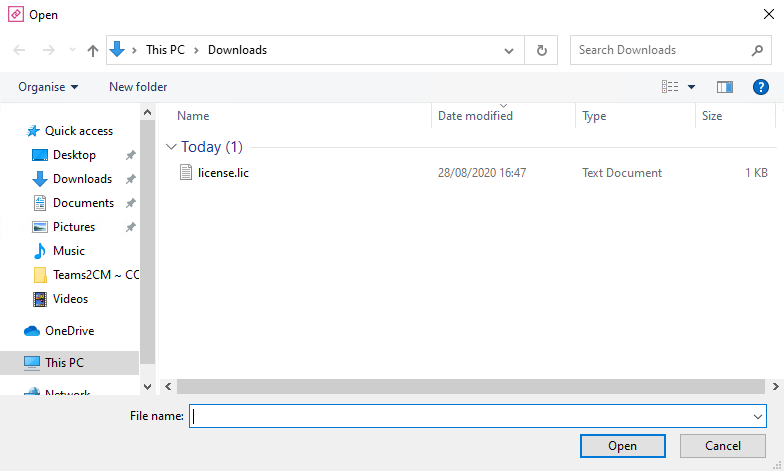
A File Explorer window will open
-
Select the license file and click on the Open button
-
Click on the Update button
-
The license file will be transferred to the server
WEB API - UPDATING THE LICENSE FILE
A new .NET Core license must be generated for the API. You can request one by reaching out to membershub@fyb.com.au
-
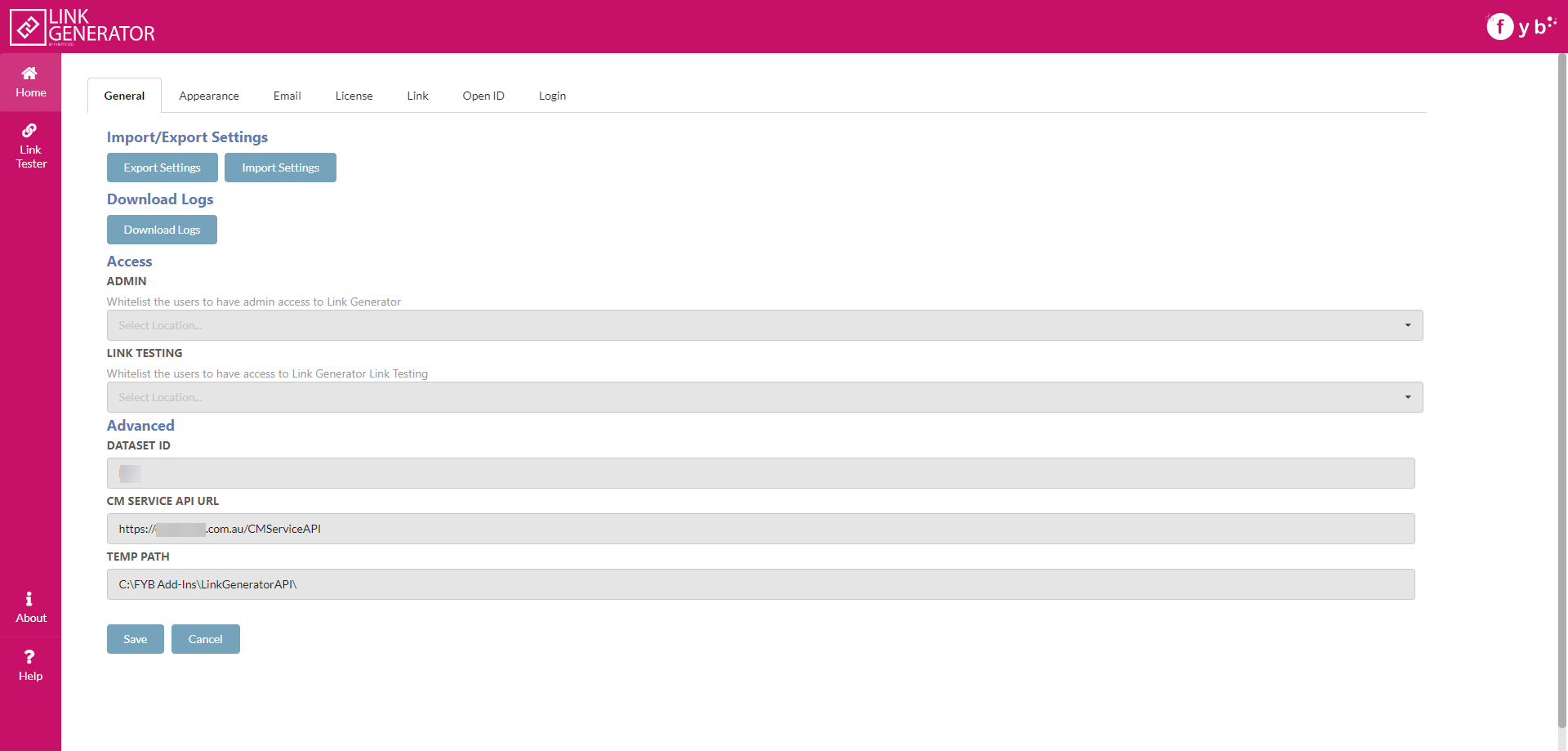
Navigate to the Link Generator API web application
-
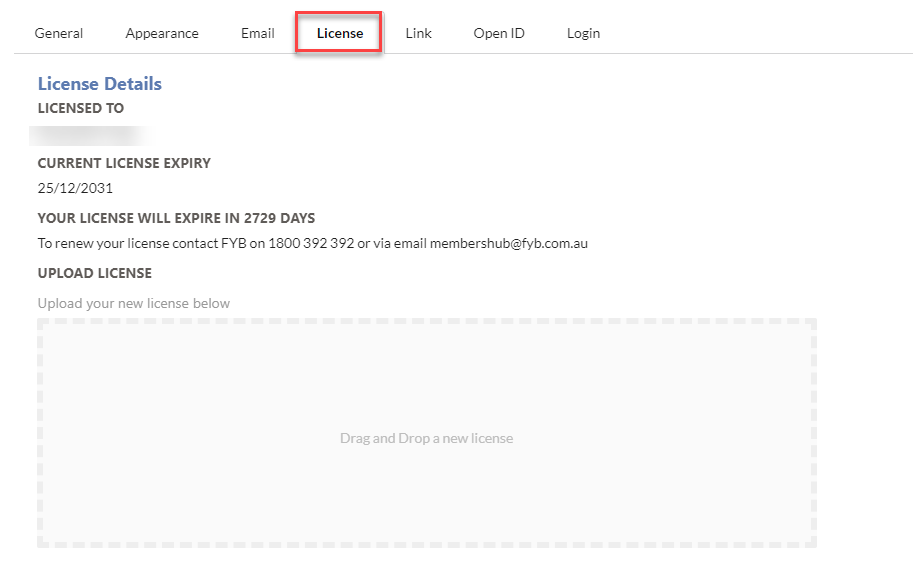
Click on the License Tab
-
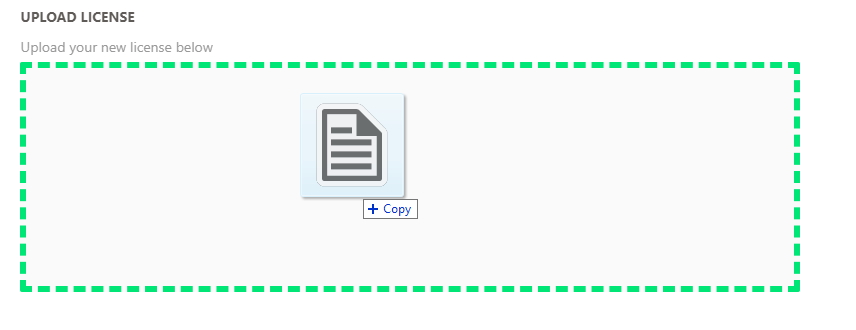
Drag and drop the new license into the drop zone
-
The license will automatically upload
ADDITIONAL DATASETS
Please ensure that you update the license completing the above process for all additional datasets.