
FYB Software Scheduler Service Installation Guide
DISCLAIMER
Any advice FYB provide in relation to setting up any FYB App, FYB Add-in, FYB Connector and or advice in relation to opening access to your on-premises or in the cloud systems will be general advice only. This means that the advice is of a general nature and will not consider your network setup, network infrastructure or any security requirements that you may have or in fact need. It is highly advised that you seek advice from internal or external providers to ensure that they are comfortable with what is required prior to going ahead with any deployment, setup, or configuration for external access.
INSTALLATION COMPONENTS
The following installation components are required to ensure full functionality of the FYB Software Scheduler Service:
- FYB Software Scheduler Service MSI allows the set up of the windows service. This is a server-side deployment
INSTALLING FYB SOFTWARE SCHEDULER SERVICE
Before running the MSI ensure that all prerequisites are complete. Including deploying the .NET 8 SDK and Hosting Bundle.
To deploy the Net Core SDK and Hosting Bundle to the server, follow these steps:
-
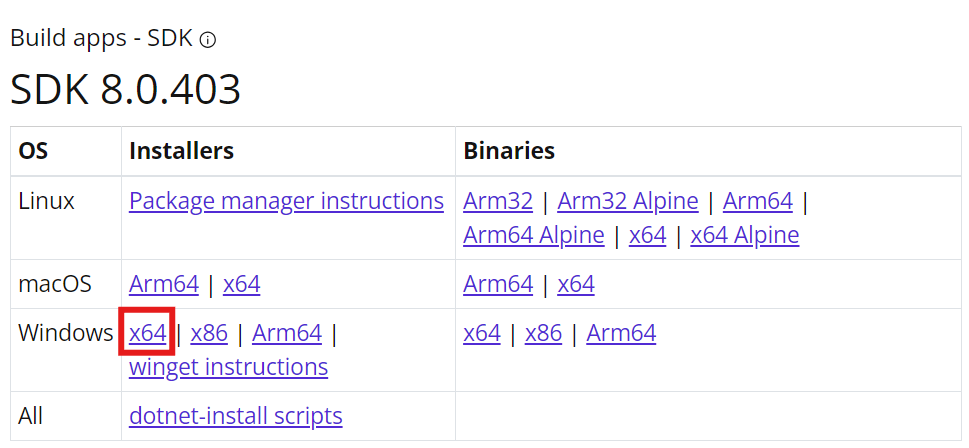
Install the latest .NET 8 SDK (x64) found here
-
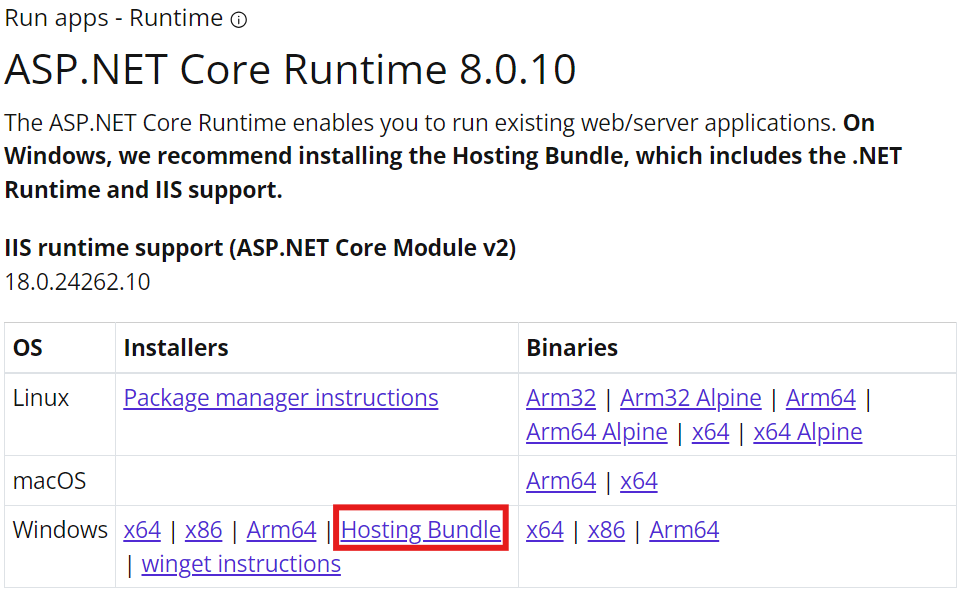
Install the latest ASP.NET Core 8 Runtime Hosting Bundle found here
-
Once both executables have been installed, complete a full server restart to allow for .NET 8 to bind to IIS. If a server restart is not possible an IIS reset can be completed with the following CMDs from an elevated command prompt.
- net stop was /y
- net start w3svc
- iisreset
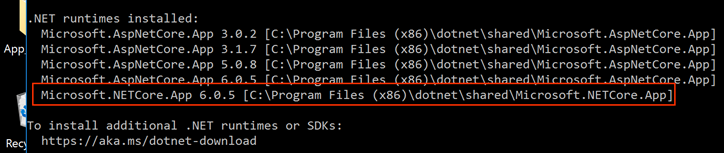
NoteTo check that the SDK has been attached to the hosting bundle, open Command Prompt and type dotnet --info
INSTALLATION
The FYB Software Scheduler Service MSI will:
- Deploy the installation files
- Setup the windows service
To install the FYB Software Scheduler Service Application, follow these steps:
- Run command prompt as an administrator and launch the fybsoftwareschedulerservice-10x.msi
- The MSI will complete its process
CONFIGURATION
To configure the FYB Software Scheduler Service, complete the following
-
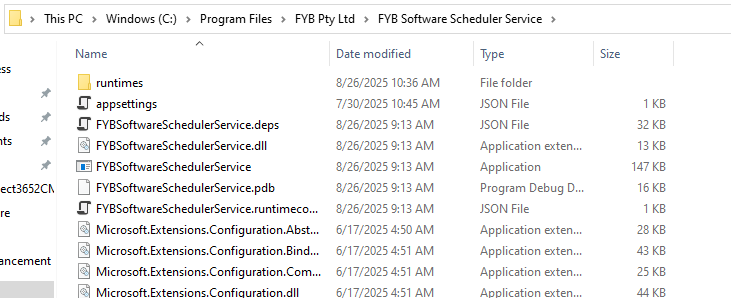
Go the installation path, this will be within the Program Files directory > FYB Pty Ltd > FYB Software Scheduler Service
-
Within the appSettings.json update the Target URL to point to the required FYB application/s.

NAME FUNCTIONALITY Target Urls A list of all FYB Applications that require for a ping to be sent to the URLs listed. You can add multiple URLs by providing a comma between each URL. Ensure each URL is surrounded by quotation marks Interval Minutes How often in minutes a ping should be sent to the application Ping On Restart Only Ability to send a ping to the URL only when it identifies the server has restarted. This will only send the ping once per restart. It will not ping again until another restart has occurred. -
Save the appSettings.json file.
What can I ping?Any FYB application that contained a scheduled process can be set up for the FYB Software Scheduler Service. This includes all FYB apps, platforms and connectors.
STARTING THE WINDOWS SERVICE
By default upon installing the FYB Software Scheduler Service, the windows service will be turned off.
-
Go to Services application

-
Search for the 'FYB Software Scheduler Service', right click on the service > Start
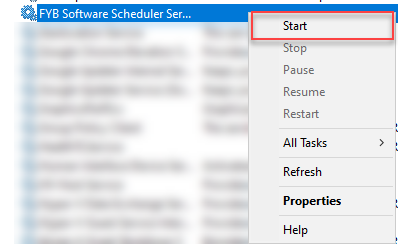 Changes to the appSettings.json
If any changes need to occur to the app settings, the windows service must be stopped first before making any changes, and restarted again after the change has occurred
UNINSTALLATION
To uninstall the FYB Software Scheduler Service manually please follow the steps below:
-
Navigate to control panel

-
Click on the Uninstall a program option

-
Locate FYB Software Scheduler Service in the list of Programs and feature
-
Right click on FYB Software Scheduler Service and click on the Uninstall button
-
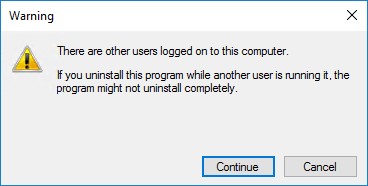
If a warning Prompt appears, click on the Continue button
-
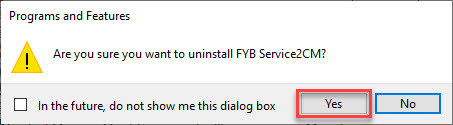
Click the Yes button
-
The uninstallation process will commence
-
Open Command Prompt as an Administrator once the uninstallation is completed
-
Enter the following commands SC STOP FYBSoftwareSchedulerService SC DELETE FYBSoftwareSchedulerService
The windows service will be deleted.