
DocUMove License Update
LICENSE DETAILS
Please contact FYB for a valid license if you are yet to obtain one for your Connector.
UPLOADING THE LICENSE
To upload a new license for DocUMove please follow the steps below:
-
Navigate to DocUMove within a Browser
-
Click on the Admin button from the Navigation bar

-
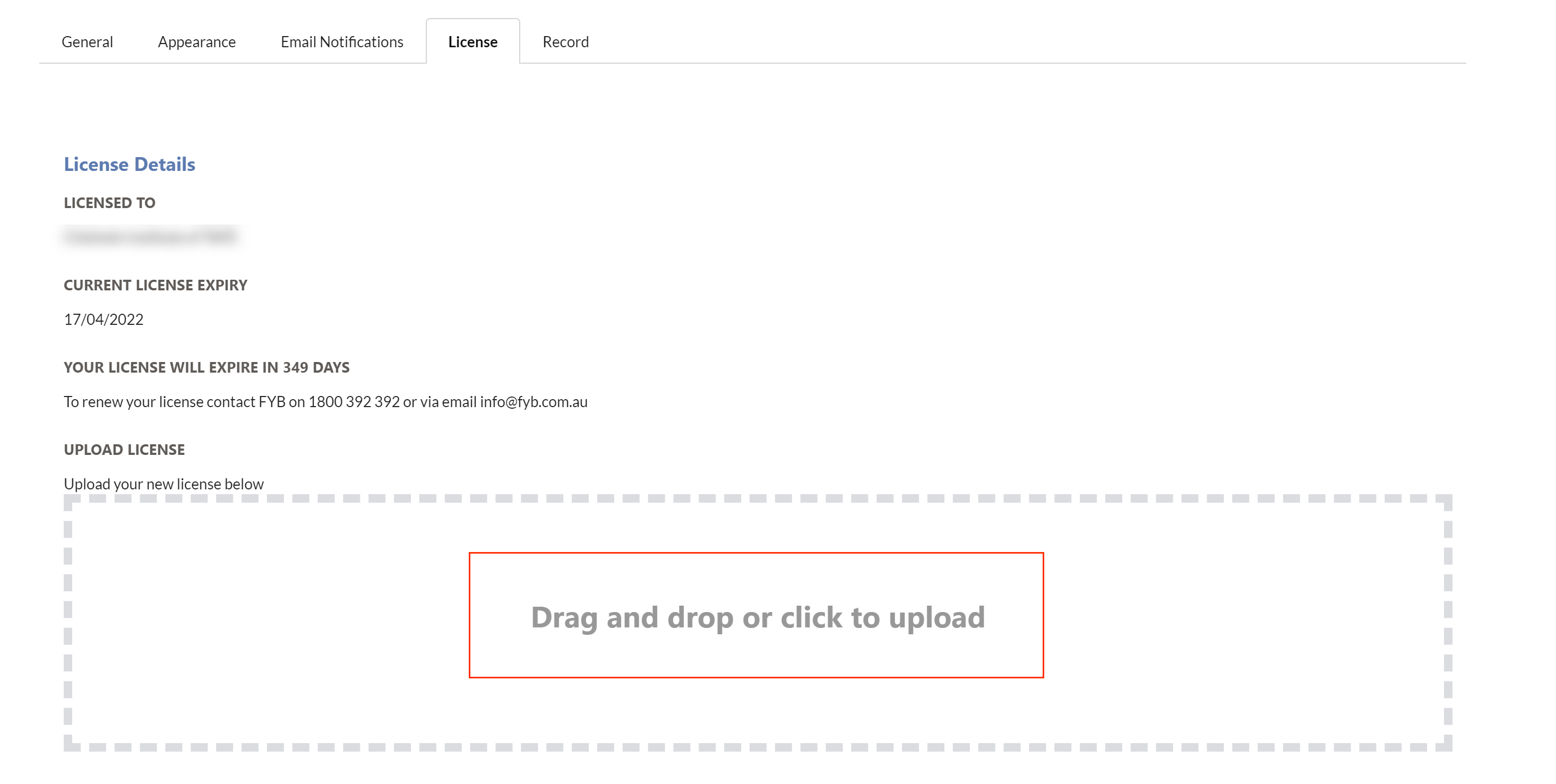
Click on the License tab

-
Click on the drag-and-drop area
-
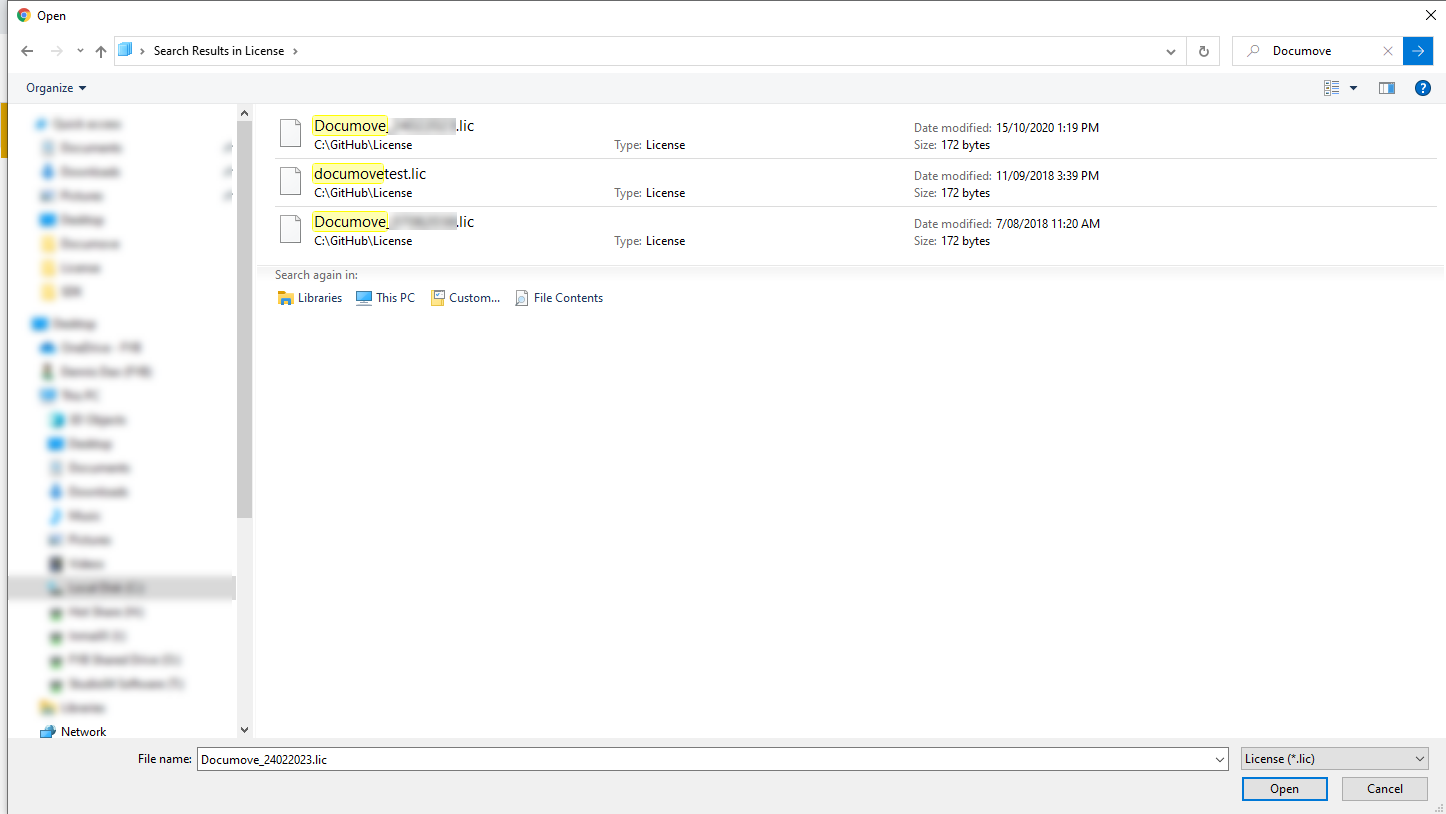
You will be redirected to a file browser to select the license file from your computer
-
Once the file is selected, the file will be automatically uploaded
If the license file is invalid, it will be rejected.
ADDITIONAL DATASETS
Please ensure that you update the license by completing the above process for all additional datasets.