
Law2CM OpenID Okta Guide - Do Not Publish
OVERVIEW
To use Okta Open ID with FUN Connect you are required to register the application on Okta Admin page. The registration will be used to acquire an access token to requests to access the FYB Connect and Content Manager Service API.
This configuration is only required if your Content Manager Service API is protected by Okta Open Id
REGISTER AN APPLICATION IN OKTA
-
After logging in to Okta, navigate to the Okta Admin page (https://xxx-admin.okta.com/admin/dashboard).

-
Navigate to the Applications page

-
Click Create App Integration
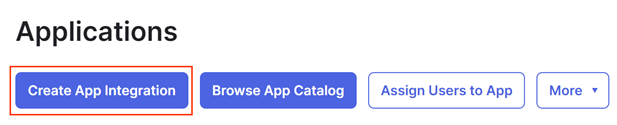
-
For the Sign-in method select OIDC - OpenID Connect

-
For the Application Type select Single-Page Application then click Next
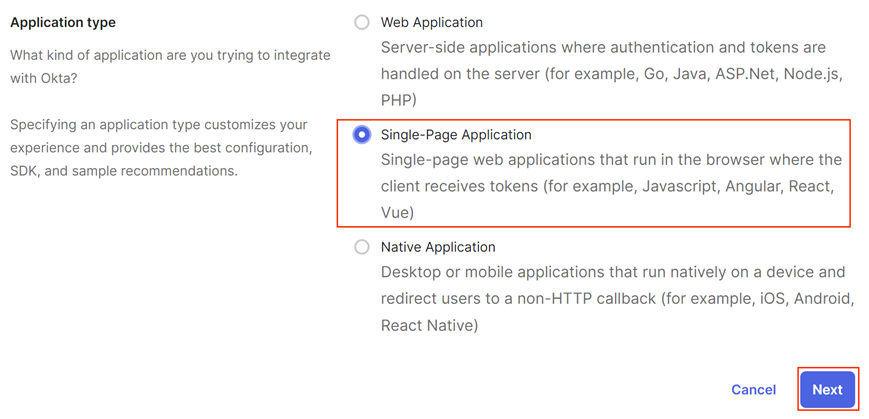
-
Enter the details below then click Save
NAME VALUE Grant type Authorization Code App Integration Name FYB Connect Sign-in redirect URIs The URL of FYB Law2CM Sign-out redirect URIs The URL of FYB Law2CM Controlled access Allow everyone in your organization to access Enable immediate access Enabled 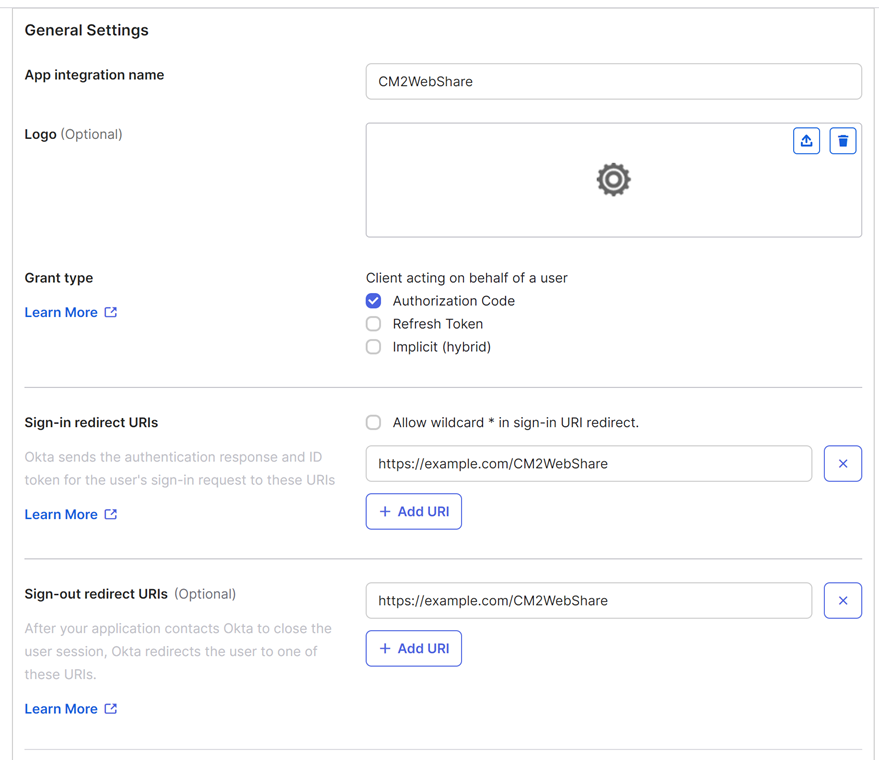
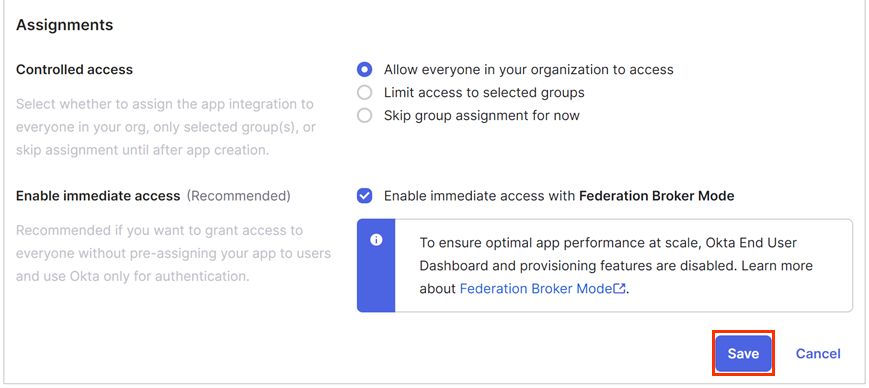
GATHERING APP DETAILS
Please follow the steps below to retrieve the Application ID, Authority URL and Redirect URL on the Okta Application Dashboard. These values are required for the installation.
CLIENT ID
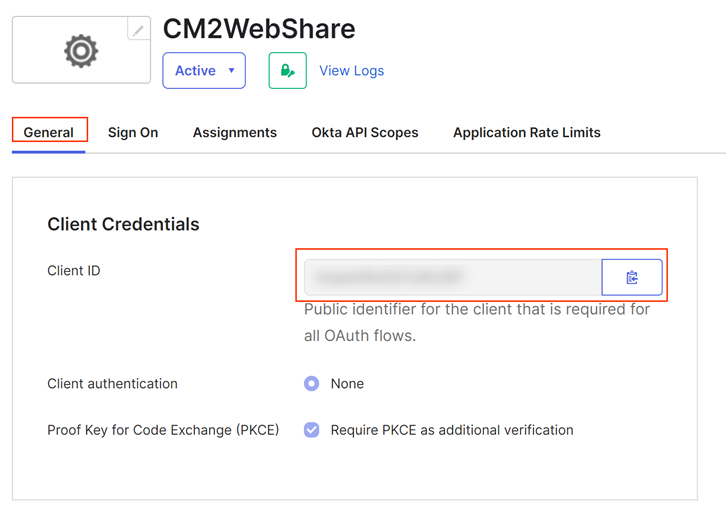
The Client ID can be found in the Client Credentials section of the General Tab of your Okta application
AUTHORITY URL
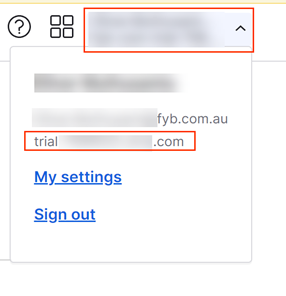
The Authority URL can be found by clicking your user name and copying the value above the My Settings link. you must add https:// to the copied value when configuring FYB Connect.
REDIRECT URL
The URL of FYB Connect is supplied in the Sign-in redirect URIs field

VALUES REQUIRED FOR INSTALLATION
The following values will be required for the installation of FYB Connect. Please ensure that the person responsible for the installation has these values.
- Redirect URI
- Application ID
- Authorization URL
| Name | Description |
|---|---|
| Redirect URI | The URI where Okta will send the authentication payload upon successful authentication. |
| Application ID | Application's unique identifier on Okta. |
| Authorization URL | https://{Okta Domain} |