
Sales2CM License Update
LICENSE DETAILS
Please contact FYB for a valid license if you are yet to obtain one for your Connector.
UPLOADING THE LICENSE FILE
To upload the new license file:
-
Navigate to the Admin section of Sales2CM and select the License tab

-
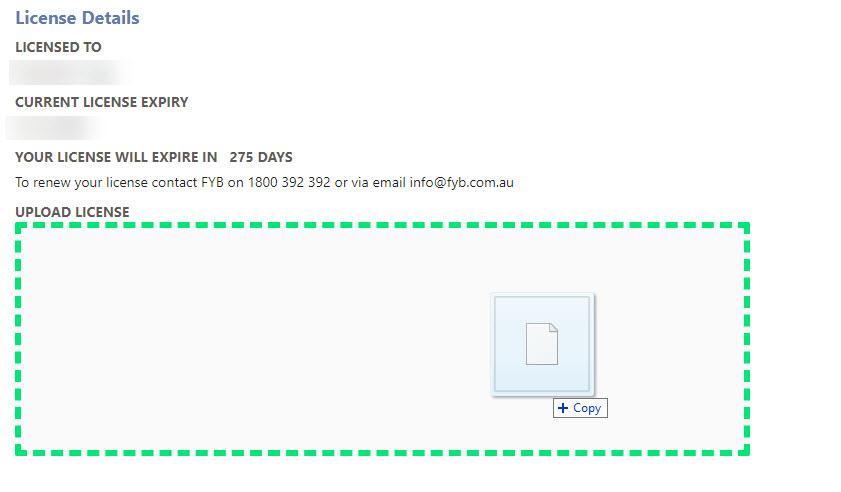
Drag and Drop the new license file into the drop zone
-
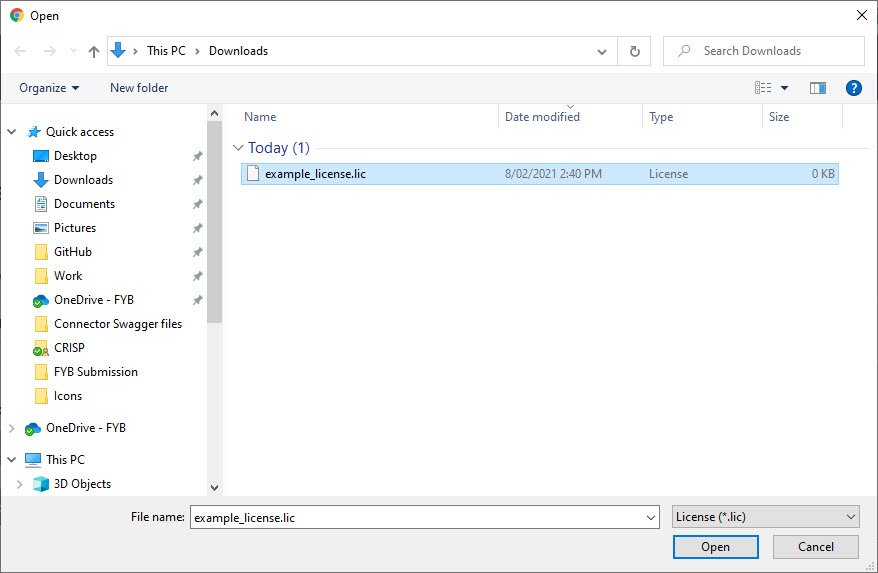
Alternatively, click on the drop zone and select the new license from the window browser and click on the Open button
-
If the license is valid a success message will be received. An invalid license will be rejected