365|2CM Internal Troubleshooting
VERIFY IF A SITE IS A TEAMS SITE
-
Navigate to MS Graph Explorer and log in with your Microsoft Account.
-
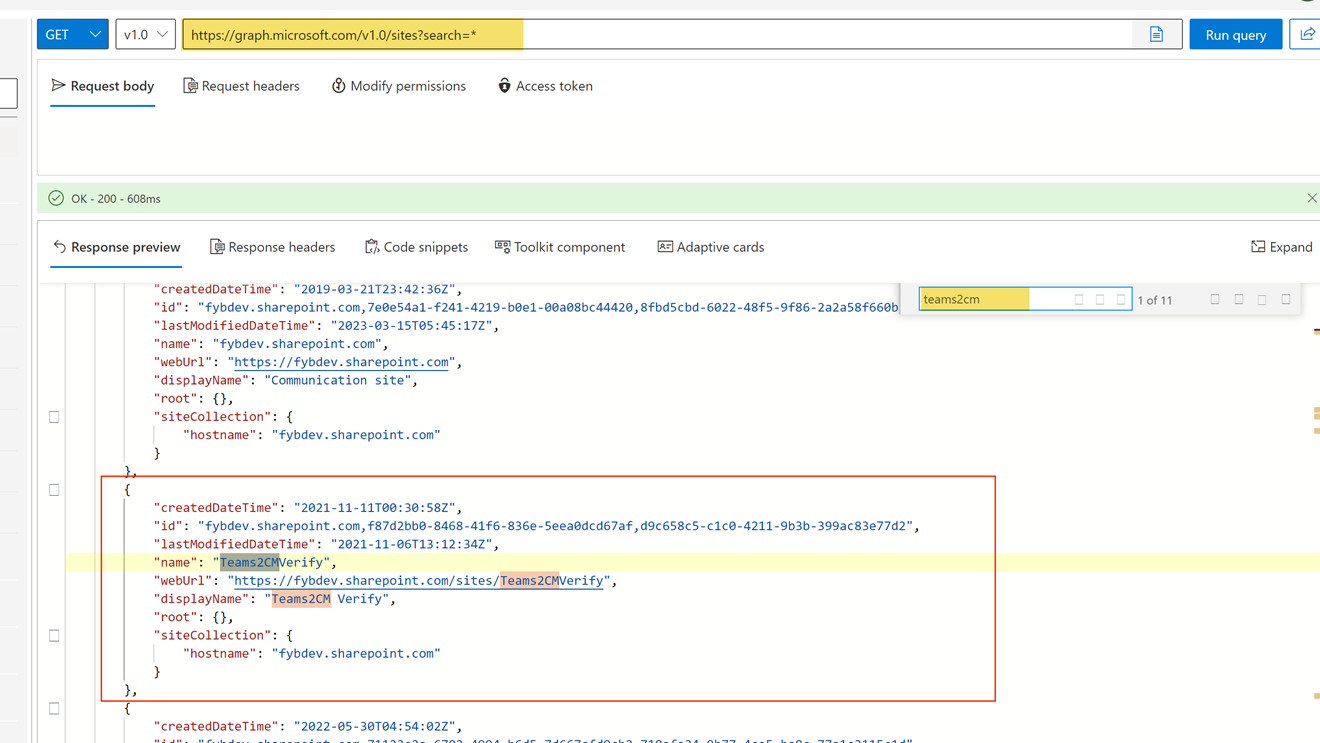
In the URL field, enter the following string: https://graph.microsoft.com/v1.0/sites?search=*
-
Find the Site in the results section
-
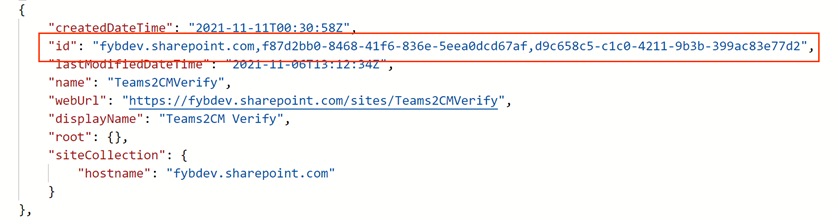
Copy the Id value of the site
-
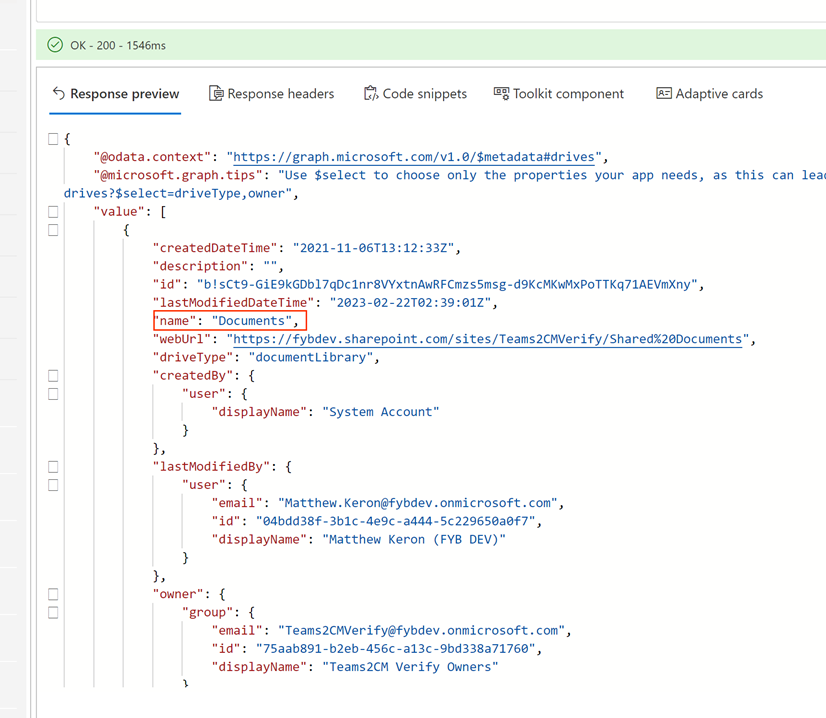
Enter the query below into Microsoft Graph Explorer and click Run Query https://graph.microsoft.com/v1.0/sites/\{site id}/drives For example: https://graph.microsoft.com/v1.0/sites/fybdev.sharepoint.com,f87d2bb0-8468-41f6-836e-5eea0dcd67af,d9c658c5-c1c0-4211-9b3b-399ac83e77d2/drives
-
Locate the name of the Drive you wish to connect to in 365|2CM
-
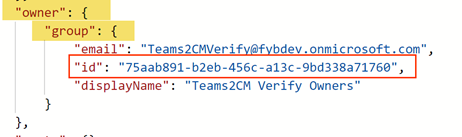
Inside the owner -> group ptoperty, copy the id value
-
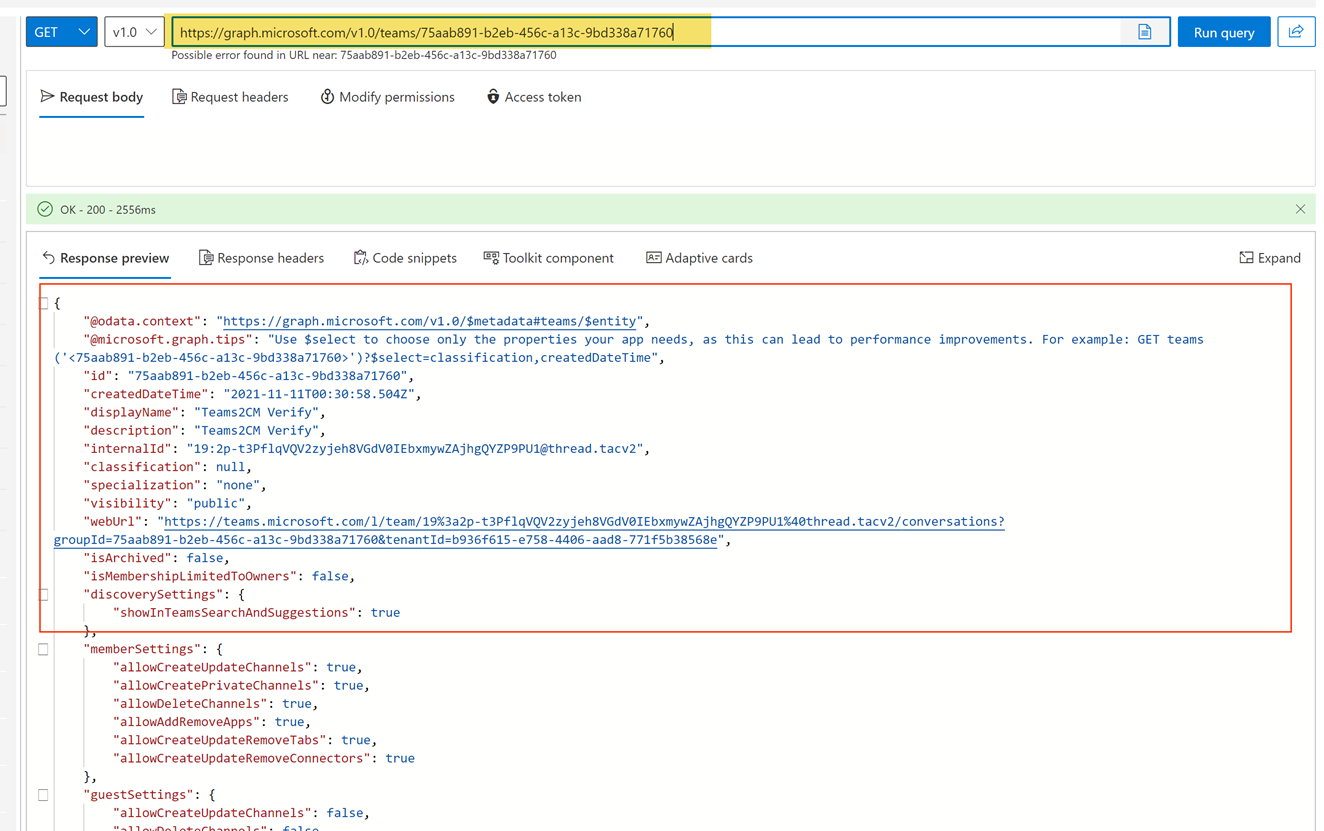
Enter the query below into Microsoft Graph and click Run Query https://graph.microsoft.com/v1.0/teams/\{id copied in step 7} For Example: https://graph.microsoft.com/v1.0/teams/75aab891-b2eb-456c-a13c-9bd338a71760
-
If a successful result appears, then the site is a Teams Site.