
365|2CM License Update Guide
LICENSE DETAILS
Please contact FYB for a valid license if you are yet to obtain one for your application.
UPLOADING THE LICENSE FILE
To upload the new license file:
-
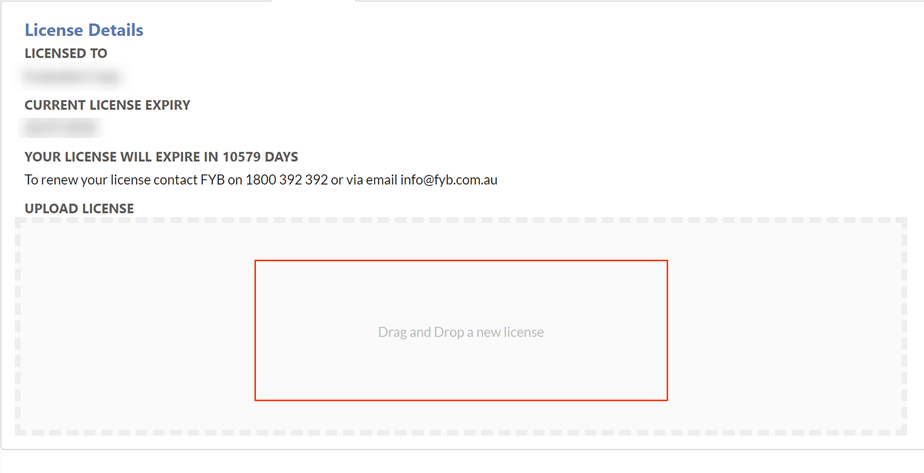
Navigate to the Admin section of 365|2CM and select the License tab

-
Click on the drag and drop area
-
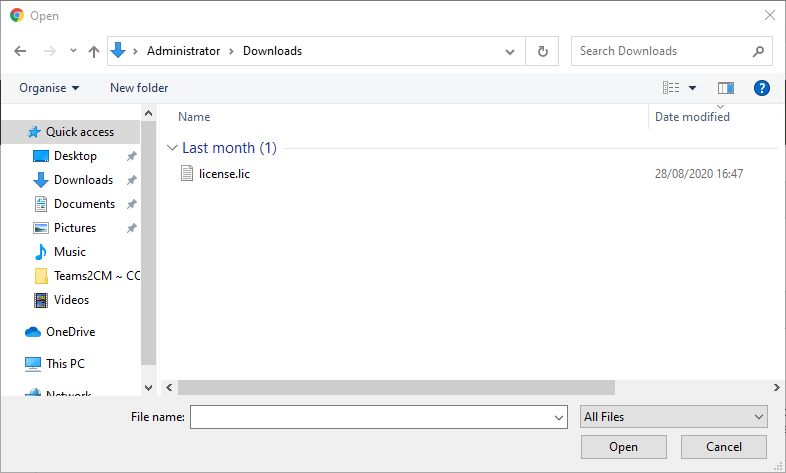
You will be redirected to a file browser to select the license file from your computer
-
Once the file is selected, the file will be automatically uploaded. If the license file is invalid, it will be rejected
ADDITIONAL DATASETS
When utilising 365|2CM for multiple datasets, please ensure that you complete the above instructions for each dataset in use.