
FYB Connect CM2SP Admin Guide
CM2SP ADMIN SETTINGS
Settings configured here will only affect the CM2SP module
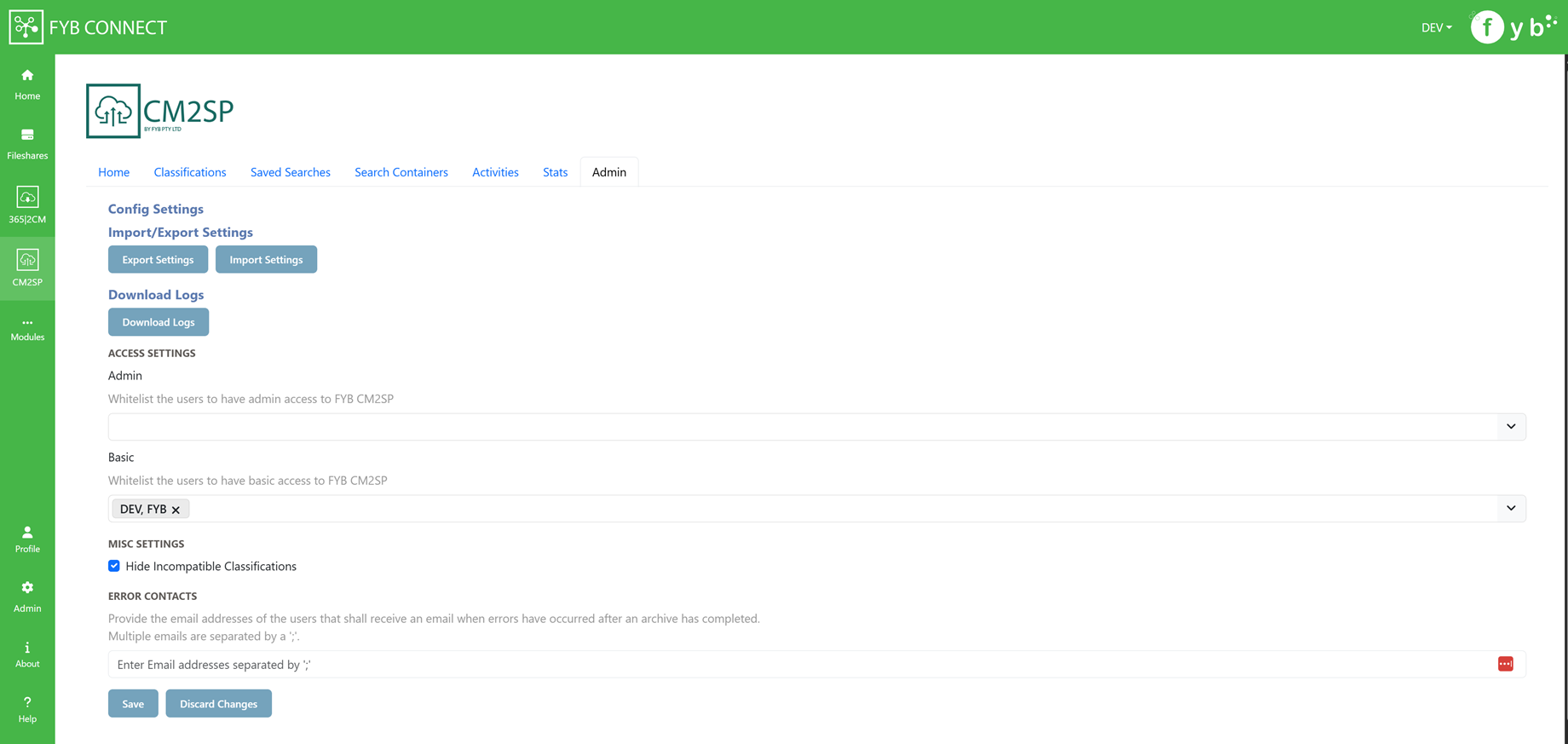
IMPORT SETTINGS
Import settings previously exported from the CM2SP Module
EXPORT SETTINGS
Export the CM2SP settings
DOWNLOAD LOGS
Download the CM2SP logs
ADMIN ACCESS
This field allows you to whitelist Content Manager users who are not an Administrator or Records managers to allow them access to CM2SP's admin console
BASIC ACCESS
This field allows you to whitelist Content Manager users who are not an Administrator or Records managers to allow them access to CM2SP.
HIDE INCOMPATIBLE CLASSIFICATIONS
If enabled, classifications that don't have any child classifications/records will be hidden from the search results
ERROR CONTACTS
Provide the email addresses of the users who shall receive an email notification errors have occurred after archiving a CM2SP connection. Multiple contacts can be added by adding a ';' between each contact. (e.g. name@company.com.au; secondname@company.com.au).
UPDATING APP REGISTRATION VALUES
This is only required if the values have changed since the initial install
To configure the Azure settings for CM2SP:
-
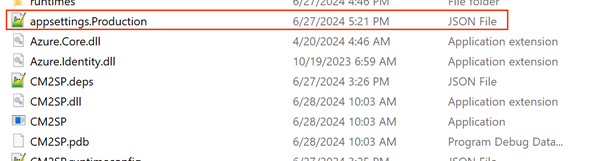
Navigate to the FYB Connect CM2SP install directory
-
Open the appettings.Production.json file
-
Fill in the values below in the MsalConfig section
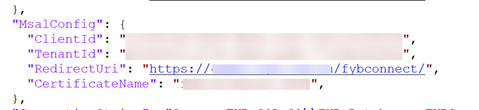
Name Description ClientId The Azure Client Id for the CM2SP application. TenantId The Azure tenant Id RedirectUri The FYB Connect Uri (e.g. https://example.com.au/fybconnect/). This value is case sensitive and must match the redirectUri supplied to the Azure app CertificateName The friendly name of the nominated certificate (.pfx) installed on the machine. This certificate is used to prove the application's identity by encrypting the application's claims in the form of a JWT token.