
Mediazel Release Notes 6.1.x
OVERVIEW
This release of the FYB Mediazel includes all fixes and enhancements that were addressed in the previous releases of the product. For details of previous releases, please refer to the relevant release notes.
Note that this version of Mediazel (v8) is a major update and is not backwards compatible with previous versions.
To preserve existing settings, a backup of your current version must be taken and existing settings will need to be re-imported via the admin console after installation is complete.
You should complete a full uninstall of the previous version before installing this version. The uninstall steps can be found in the relevant versions installation guide.
You will also need to obtain a new license type from FYB if upgrading to this version. Previous license files will not work even if they have not expired.
RELEASE 6.1.0
NEW FEATURES
ADMIN CONSOLE
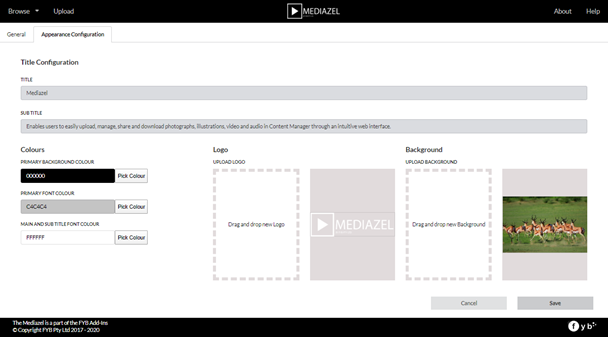
The admin console is now available from the Mediazel interface for Content Manager system administrators. This allows Content Manager system administrators to easily and quickly configure how the application behaves and looks.
PREVIEW PDF DOCUMENT
We’ve added the ability to preview PDF documents within the Mediazel.
FILE TYPE CONVERSION AND RESOLUTION
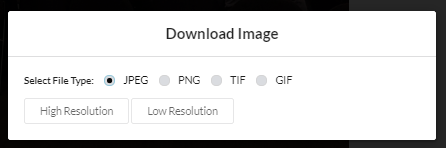
When downloading, users now have the option to convert the file to a different file type, in addition, user can also select the resolution of the image in which to download.
STATISTICS
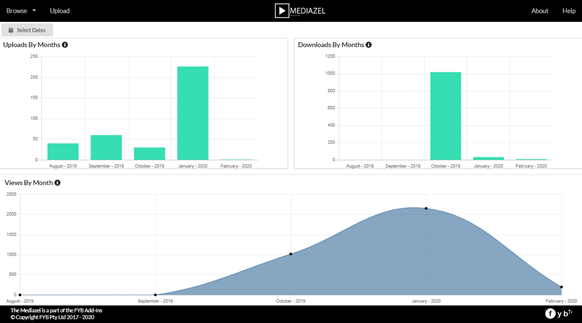
Mediazel now captures the application usage statistic and displays the data into an intuitive graph view. In addition, systems administrators can restrict who can access this page via the Admin console.
UPDATE MSI INSTALLER
The Mediazel installer will now automatically generate the required Record Type and Additional Fields. Moreover, an existing Record Type can also be elected for the Mediazel application and the installer will create and attach all the necessary additional fields to the Record Type so that it’s compatible and ready for usage.
UPDATE GPS LOCATION
User can now update GPS location for a media item using the Google map interface.
GOOGLE SPEECH
Mediazel now has an integration with Google Speech to provide a solution to transcribe audio files to assist with audio searching. The transcribe text of the audio file will automatically be populated to the tags field of the media item. Note: This feature is not enabled by default, please refer to the FYB Mediazel installation guide for instruction on how to enable this feature in the Mediazel.
ANNOTATION
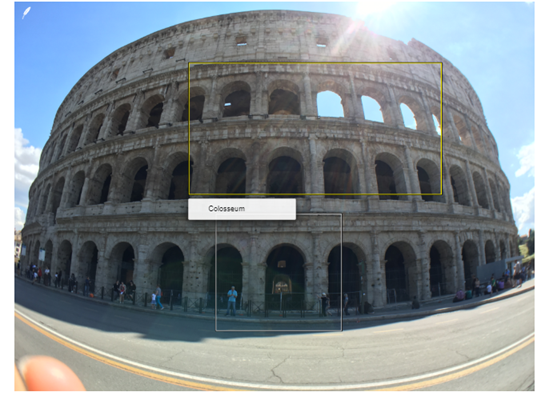
User can now annotate images in the details screen. An annotation of the image can also be downloaded.
UPLOAD LICENSE
We’ve included an upload license button to this release, this will allow administrator to quickly update/renew the Mediazel license. This button is only accessible to Content Manager system administrator via the Admin console.

CONSENT NOTIFICATION
Consent notification flagging is now available in this release, this determine whether a media item has been consented for public usage. This functionality relies on a Content Manager Boolean additional field that can be selected from the Admin console.
APPROVED ITEMS
The Mediazel has the capability to only display images that have been approved for use. This functionality relies on a Content Manager Boolean additional field that can be selected from the Admin console.
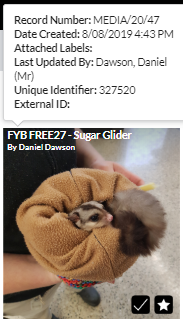
THUMBNAIL METADATA POPUP
When hovering over a thumbnail from the search result page, a metadata popup of the item will now appear. The metadata fields are customisable through the Admin Console.
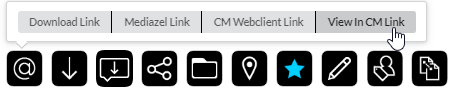
EXTRA LINK TYPE
View in Content Manager link is another addition to the Mediazel link types, this link will launch the current media item in Content Manager.
RELATIONSHIP TYPE
Users can now specify the relationship type within Mediazel when attaching record relationships.
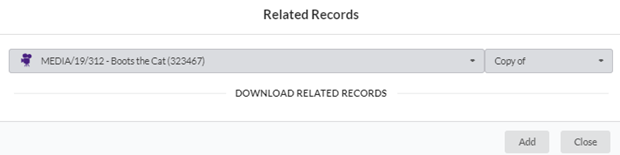
The related record button will now be blue, indicating if there is a related record attached to the current media item.

LOCATION CREATION
Users can now create a new external location if there are no locations found within the system.

ENHANCED FEATURES
MERGED ICONS
We’ve merged the details page GPS and rotation icons into their own single icon.

PDF REPORT BUTTON
In previous version, the PDF report button will only show after a post upload. We now made this button visible so that a report can be created freely on any search results.
CLASSIFICATION SEARCH
Classifications searching has been enhanced so that the classifications that are returned in the search support record attachments.
CURRENT SORT
After sorting the current sort option is now visible in the interface.

USER ERROR MESSAGE
The application will now display system error messages in a more user-friendly fashion.
PRIVATE SAVED SEARCH
Saved searches can now be made private, users with Content Manager Saved Search Administrator permissions can specify whether the search is private and who can view and execute the saved search.
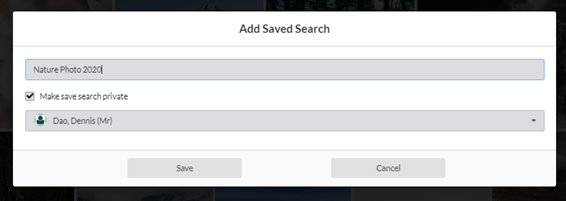
SAVE THE CURRENT SEARCH
In previous versions, to save a search the user is required to select the desired media item for the saved search, in this release saved searches can be saved without the need to select any media items. The saved search will be based on the current search result.
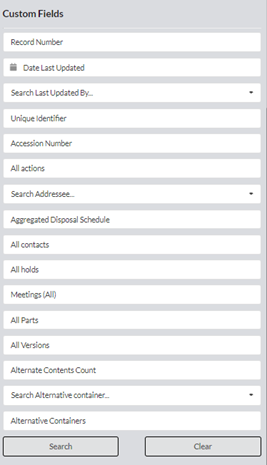
SEARCHING ON CUSTOM FIELDS
Mediazel now supports the searching of custom fields, the current search results can be further refined using custom fields. Fields are customisable via the Admin Console based on business requirements.
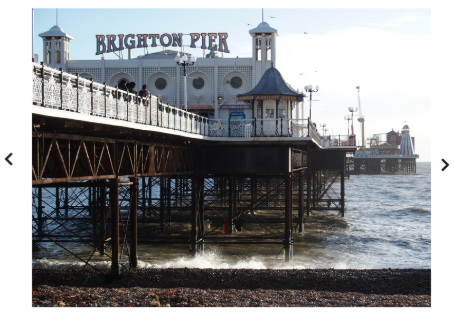
PREVIOUS AND NEXT BUTTON PLACEMENT
The placement of the previous and next buttons is now next to the media item.
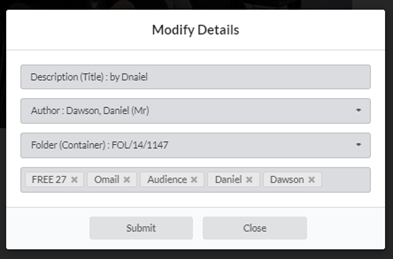
UPDATING TAG
Tags can now be updated as necessary from the Mediazel interface (add new or removed existing tags).
BUG FIXES
EMAIL LINK
Fixed issue with email link window remaining open after selecting a link type. After selecting a link type the window will now disappear.
MEDIA RECORD TYPE LOOKUP SET
Removed Mediazel dependency on Media record type Lookup Set.
UNKNOW LOCATION
We have refined the location searching so that it will exclude ‘Unknown Location’
IE / EDGE UPLOAD ISSUE
We have resolved the uploading issue with Internet explorer and Microsoft Edge Browser
LIMITATIONS
UPLOAD LIMITATION
The maximum total upload size is 2GB per file, which is a browser limiation. Some browsers such as Chrome and Opera support 4GB per file.
MANUAL RECORD NUMBERING
The FYB Mediazel doesn’t support a Media Record Type that requires manual entering of the record numbering.
ADDITIONAL FIELDS LINKING TO EXTERNAL ADD-INS
If a Record Type is linked to additional fields that use third party external add-ins, it cannot be used with the Mediazel.
BROWSER IMAGE SUPPORTED FORMAT
Some image formats may not appear in the Mediazel, this is a limitation of the browser when rendering the image to the window. More information about browser image format compatibility can be accessed with the following link: https://en.wikipedia.org/wiki/Comparison_of_web_browsers
AUDIO PLAYBACK - INTERNET EXPLORER
.M4A extension is not supported with Internet Explorer as this is a browser limitation. Please use Chrome, Firefox or Edge as an alternative.
VIDEO PLAYBACK – FIREFOX
When viewing .MOV media items on Firefox the audio may be permanently muted, Firefox will require the Quick Time player plugin installed for this functionality to work