
Folder Template Creator License Update
LICENSE DETAILS
Please contact FYB for a valid license if you are yet to obtain one for your Connector.
Folder Template Creator will contain two licenses.
- A license for the Folder Template Creator web application
- A license for the Folder Template reader
Please ensure to use the correct license for the application being updated
UPLOADING THE LICENSE FILE FOR FOLDER TEMPLATE CREATOR
-
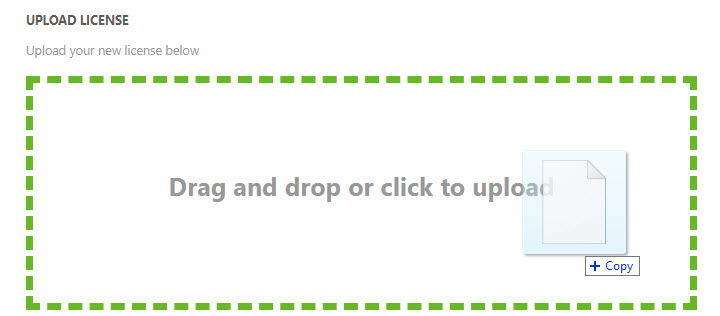
Navigate to the admin console of the web application and open the license tab

-
Click on the Drag and Drop zone and select your new license file from the file dialog. Alternatively, dragging the license into the drop zone will also upload the file
-
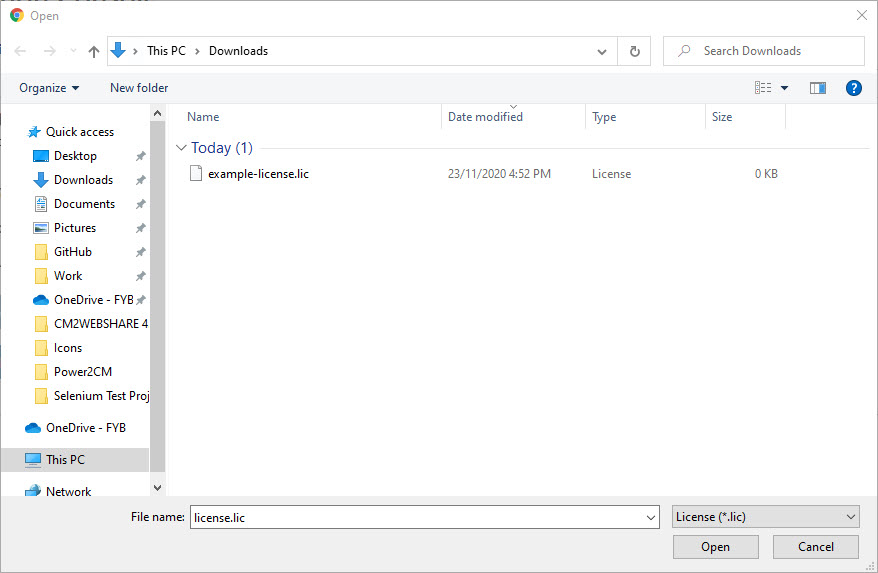
Click on the Open button and the license file will be uploaded
UPLOADING THE LICENSE FILE FOR FOLDER TEMPLATE READER
-
Transfer your new license file to the designated license file folder on the server. Note down the path of the new license file, it will be required later in the guide
-
Open the Content Manager full client
-
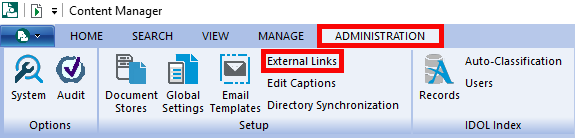
Navigate to the Administration Ribbon and click on the External Links button
-
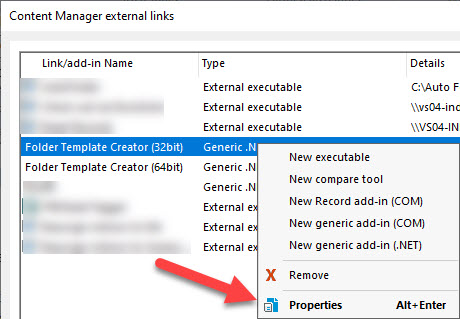
Right-click on Folder Template Reader (32bit or 64bit) and select Properties
-
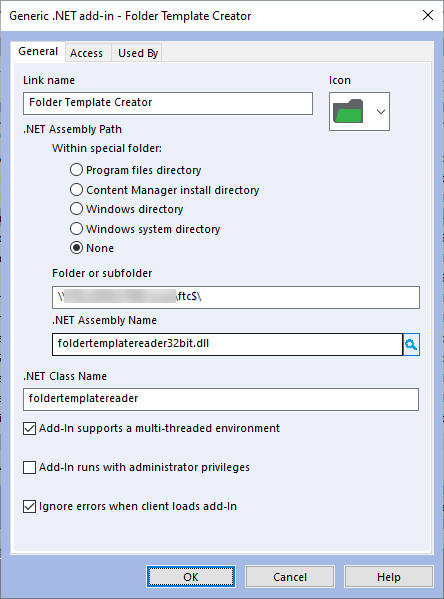
Copy the information from the Folder or Subfolder field within the properties window
-
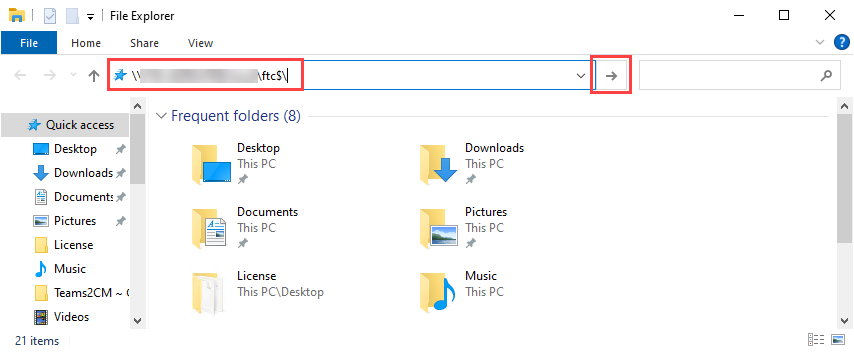
Paste the information into the navigation path of File Explorer and click Go
-
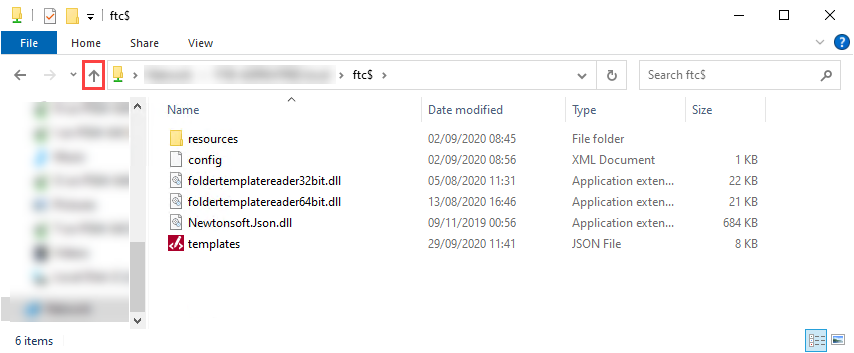
Navigate to the folder in which foldertemplatereader32bit.dll resides in
-
Right-click on the config.xml file and select the Edit option
-
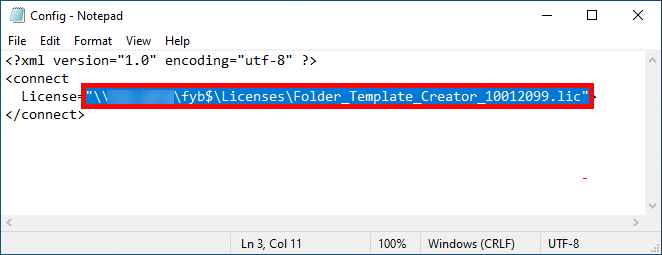
Highlight and delete the old license path within the configuration file and paste in the new license path acquired
 Note
Ensure this is the network share path of the license and NOT a local path.
-
Save the changes made to the configuration file