Folder Template Creator Troubleshooting Guide
OVERVIEW
The following guide lists some of the common Folder Template Creator issues you may experience along with the possible cause and resolution.
UNABLE TO WRITE TO EVENT LOG
DESCRIPTION
An error shows in the event log that states Folder Template Creator cannot write to the event log due to security restrictions.
CAUSE
Incorrect Local Security Policy settings.
RESOLUTION
Follow the steps in this guide: https://mohsartawi.wordpress.com/2014/12/16/give-non-administrator-user-an-access-to-read-the-event-logs-in-active-directory/
SITE BLOCKED BY CORS POLICY
DESCRIPTION
You see an error stating that the site has been blocked by the CORS policy.
CAUSE
The site is being blocked by the CORS policy or the IIS CORS module is not installed.
RESOLUTION
Ensure that the IIS CORS module is installed on the server: https://www.iis.net/downloads/microsoft/iis-cors-module
VALUE CANNOT BE NULL (PATH1)
DESCRIPTION
You receive the following error when attempting to load Folder Template Creator. Value cannot be null. Parameter name: path1
CAUSE
The 64bit Content Manager client is not installed on the server which means Folder Template Creator cannot access the SDK.
RESOLUTION
Ensure the 64bit Content Manager client is installed on the server. Or alternatively, use the clientless install feature.
UNABLE TO ACCESS WEB.CONFIG FILE FROM IIS
DESCRIPTION
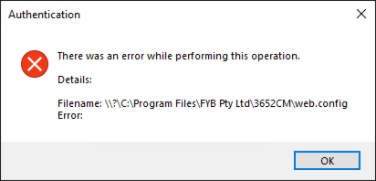
After installation, if you attempt to access the web.config file via application settings in IIS you see this message.
CAUSE
.NET Core pre-requisites haven't been installed properly.
RESOLUTION
Confirm that both the .NET Core SDK and .NET Core Hosting Bundle have been installed on the server. If they have then make sure a full server restart has been completed as this allows them to bind to IIS. Details can be found in the pre-requisite and install guides.
FOLDER TEMPLATE READER NOT AUTOMATICALLY CREATING FOLDERS
DESCRIPTION
When creating a new record in Content Manager, or right clicking on the record and selecting Run with Folder Template Creator, no prompt to create sub folders appears.
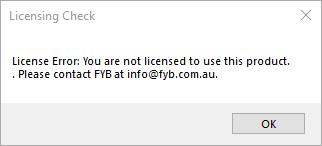
The error typically displays the following license error:
CAUSE
This can be the Folder Template Reader dll has become cached on the machine and can no longer read the updated config.xml file.
RESOLUTION
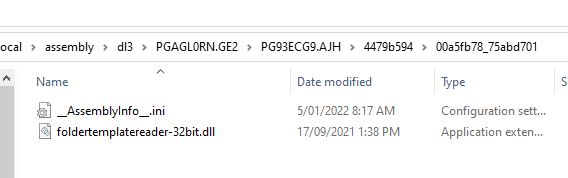
Complete a whole computer search for "foldertemplatereader". Ensure to remove any dll file that are not the most current one being used. Ensure to check within your personal %App Data% and remove any instances of "foldertemplatereader-xxBit.dll"