
Fileshare Admin Guide
FILESHARE ADMIN SETTINGS
Settings configured here will only affect the Fileshare module.
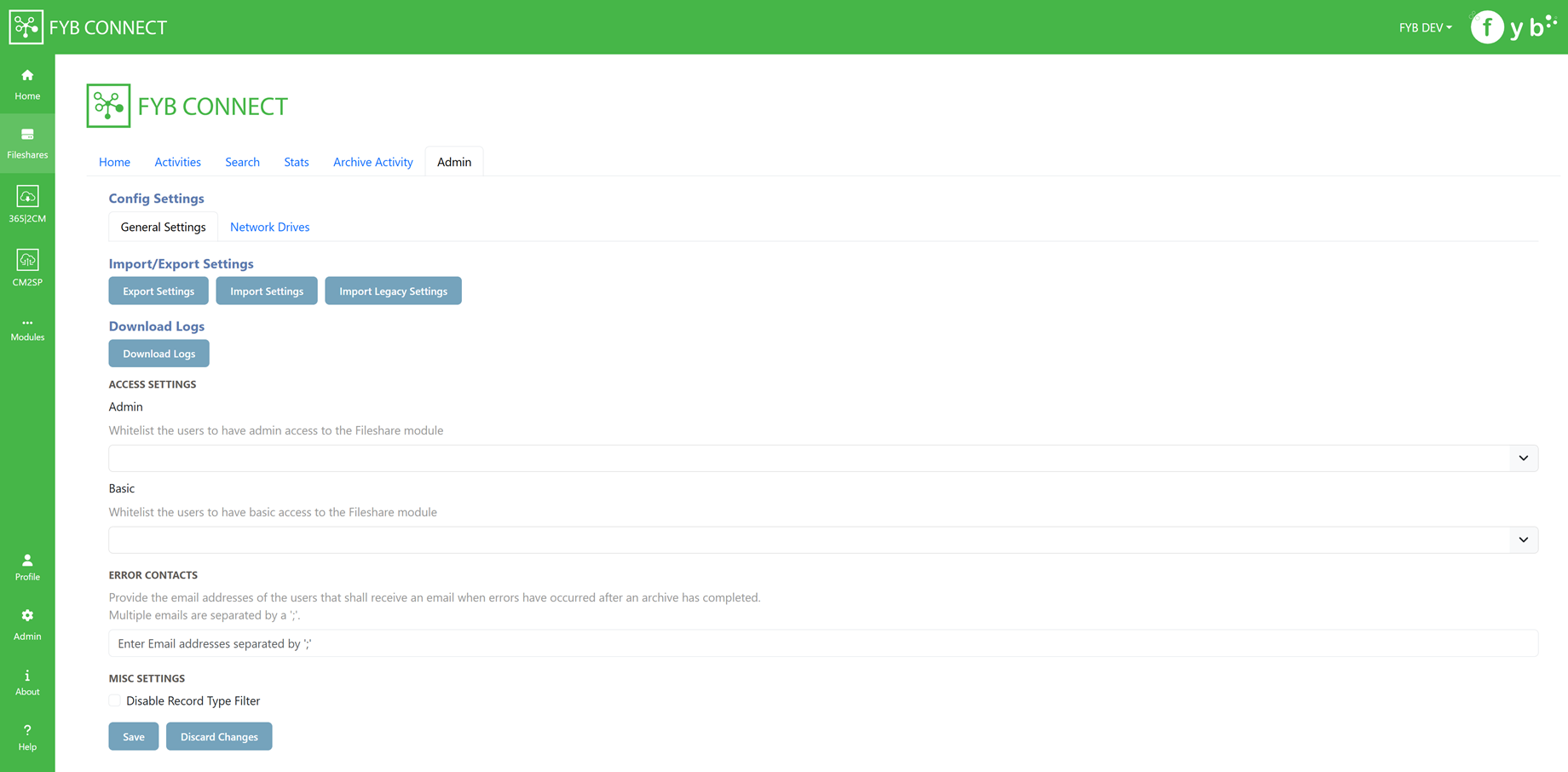
IMPORT SETTINGS
Import settings previously exported from the Fileshare Module
IMPORT LEGACY SETTINGS
Import Fileshare connections exported from the 365|2CM standalone web application versions 3.0.23 and above.
EXPORT SETTINGS
Export the Fileshare settings
DOWNLOAD LOGS
Download the Fileshare logs
ADMIN ACCESS
This field allows you to whitelist Content Manager users who are not Administrators or Records managers to allow them access to Fileshare's admin console.
BASIC ACCESS
This field allows you to whitelist Content Manager users who are not Administrators or Records managers to allow them access to Fileshare.
ERROR CONTACTS
Provide the email addresses of the users who shall receive an email notification when errors have occurred after archiving a Fileshare connection. Multiple contacts can be added by adding a ';' between each contact (e.g. name@company.com.au; secondname@company.com.au).
DISABLE RECORD TYPE FILTER
Enabling this option will allow all active record types from Content Manager to be available in any record type drop-down in Fileshare.
NETWORK DRIVES
Configure Network Drives so users are restricted to only making connections to folders within the configured drives.
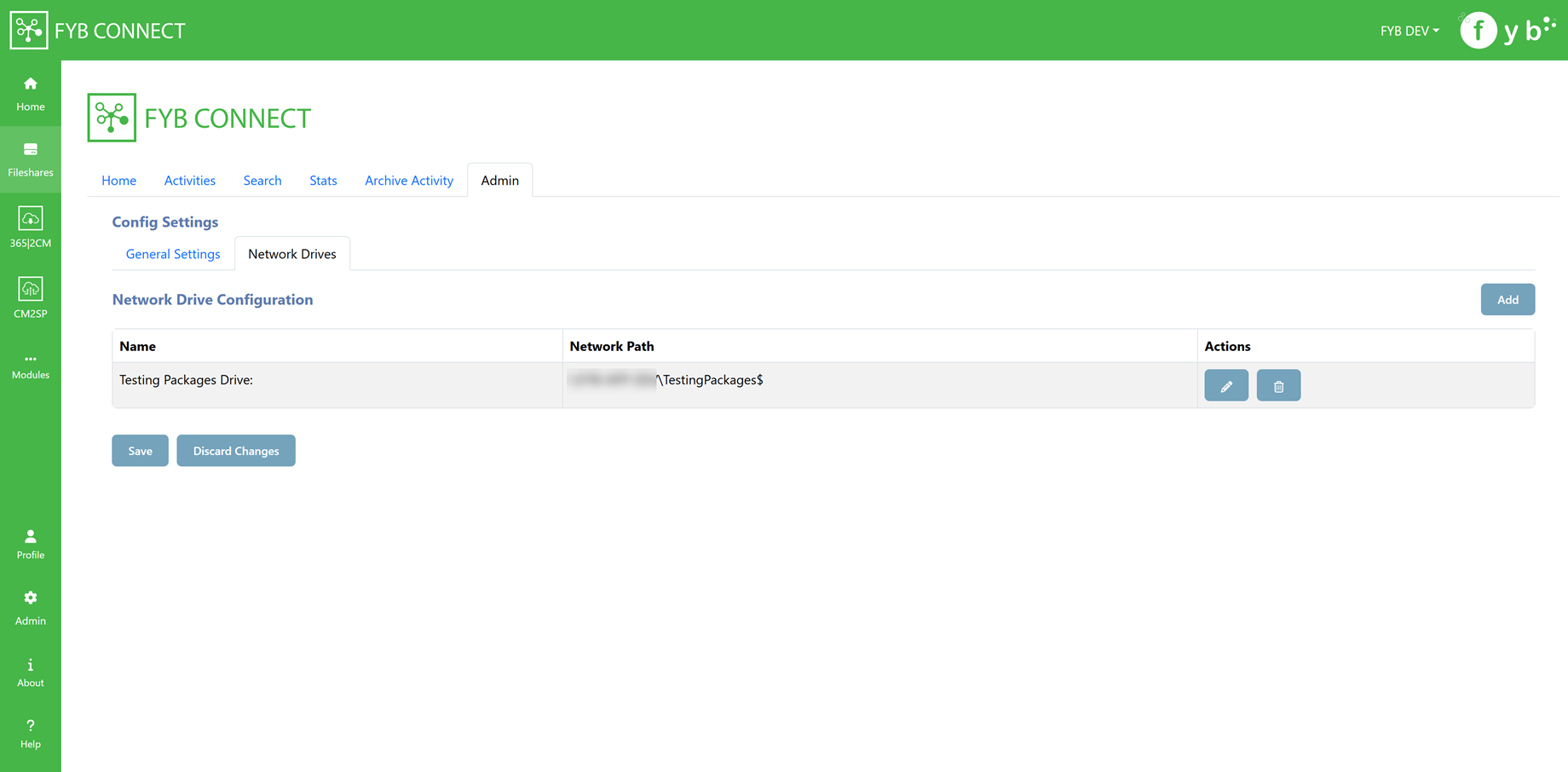
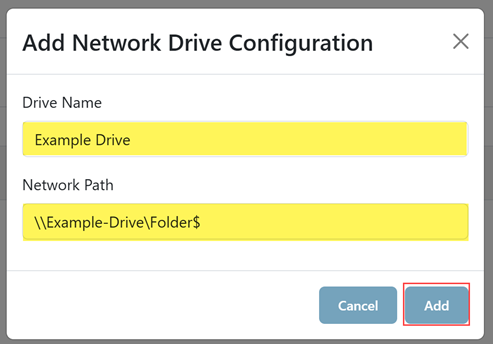
To configure a Network Drive:
-
Click the Add button

-
Enter a Drive name
-
Enter a Network path
-
Click Add
Configured Drives will show on the Search Tab of the Fileshare module. Click on the drive to view its folders.
