
FYB Connect Admin Guide
GENERAL

DOWNLOAD LOGS
Download a zip file containing all the FYB Connect log files.
ADMIN ACCESS
This field allows you to whitelist Content Manager users who are not administrators or Records managers to allow them access to FYB Connect's admin console
BASIC ACCESS
This field allows you to whitelist Content Manager users who are not administrators or Records managers to allow them access to FYB Connect.
DATASET ID
The ID of the Content Manager dataset that FYB Connect is connecting to.
CM SERVICE API
The URL of the Content Manager Service API
TEMP PATH
The temp directory for FYB Connect, please include the trailing slash, for example: C:\FYB Add-Ins\FYBConnect. This directory will also contain the FYB Connect log files. Changes to this field will require an App Pool restart.
The temp directory can also be a shared path as long as the account running the app pool has access to it.
MULTI-DATASET SUPPORT
FYB Connect supports connection to multiple Datasets, as long as they are hosted on the same server as the Dataset that was originally configured for FYB Connect.
ADD A DATASET
-
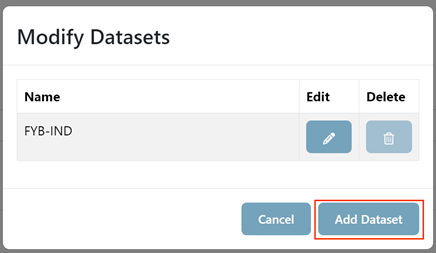
Click the Modify Datasets button
-
Click the Add Dataset button
-
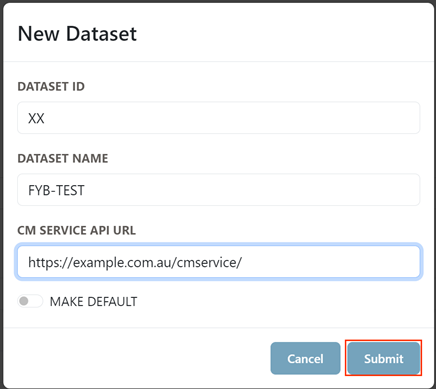
Enter the Dataset ID, CM Service API Url and the Dataset Name
-
Click Submit
-
The new Dataset will be added, and the page will reload.
-
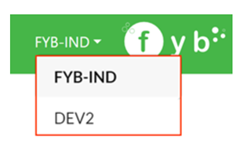
The new dataset will be selectable from the Dataset Dropdown
DELETE A DATASET
-
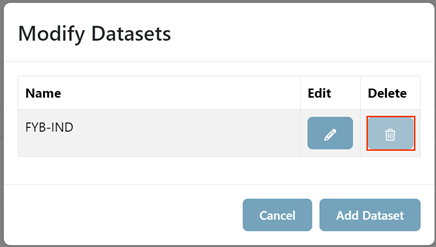
Click the Modify Datasets button
-
Click the Delete Dataset button
NoteThe Default dataset cannot be deleted
EDIT A DATASET
-
Click the Modify Datasets button
-
Click the Edit Dataset button
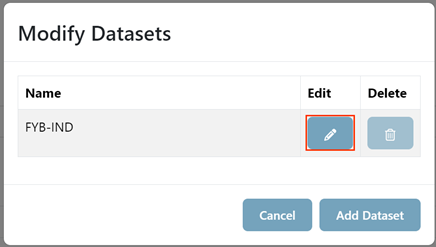
-
Edit the Dataset Name
-
Click Submit
APPEARANCE
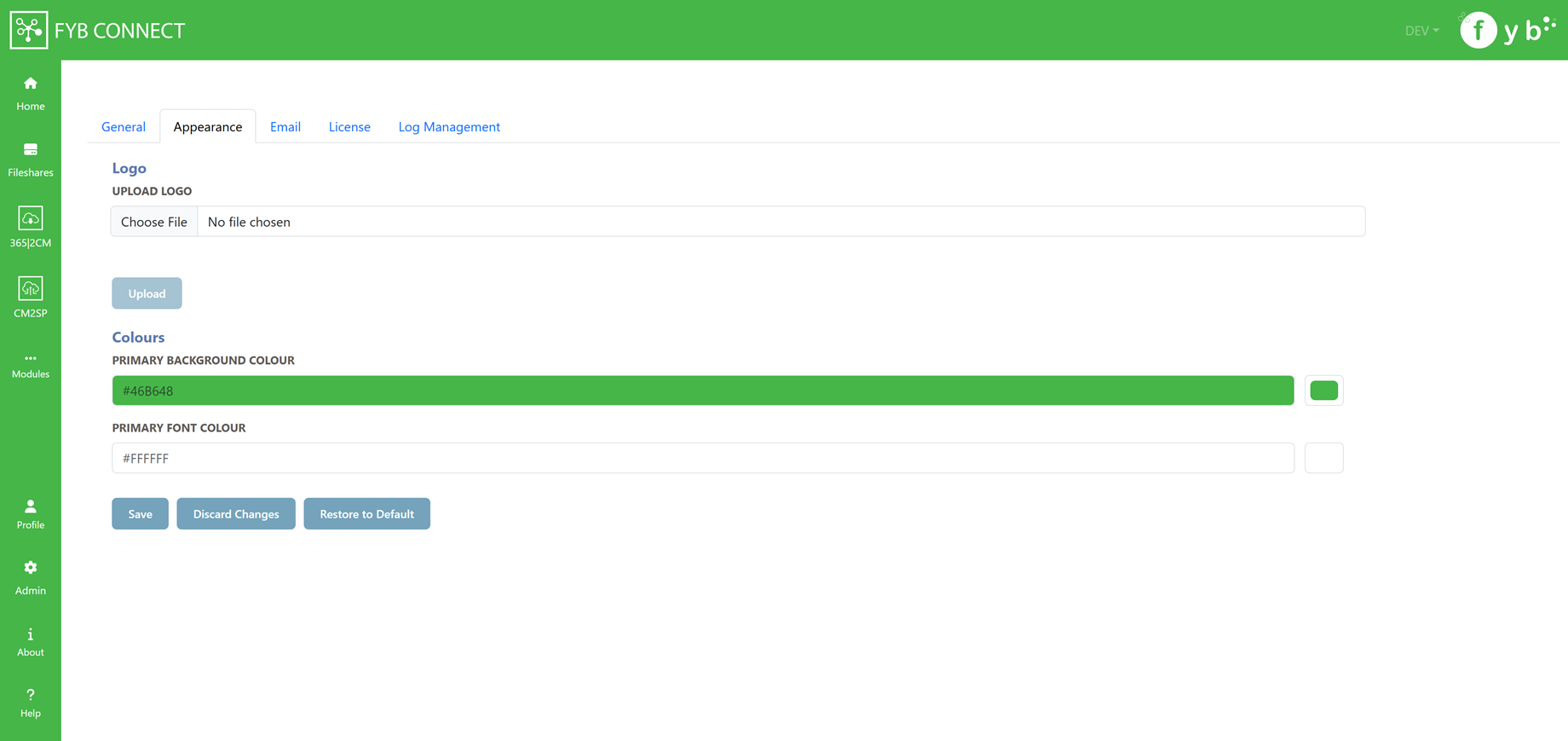
PRIMARY BACKGROUND COLOUR
Controls the colour of the header and footer for the application.
PRIMARY FONT COLOUR
Controls the font colour of the header and footer for the application
LOGO
Sets the logo for the application
EMAIL SETTINGS
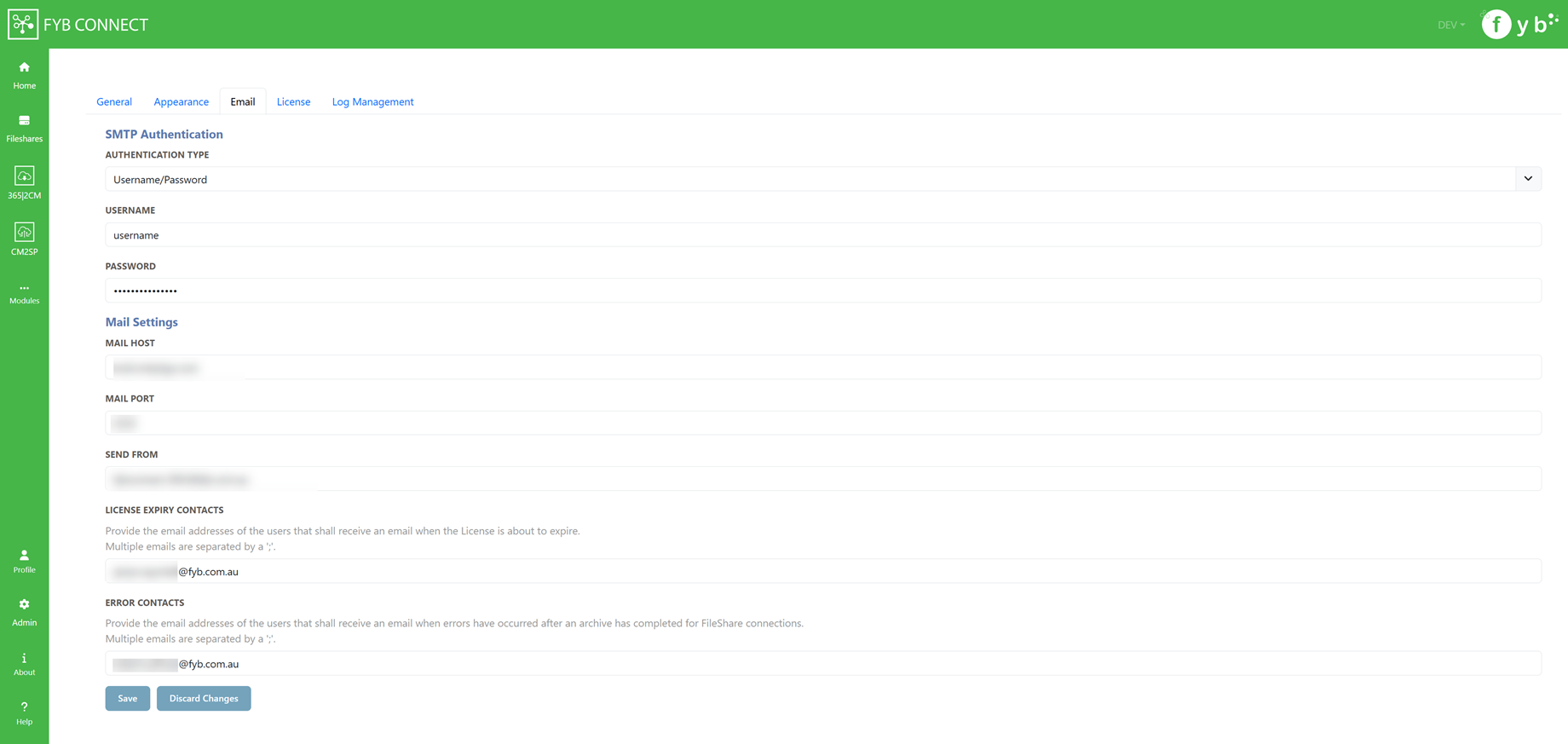
SMTP AUTHENTICATION
NONE
 Choose this option if your SMTP does not have authentication
USERNAME/PASSWORD
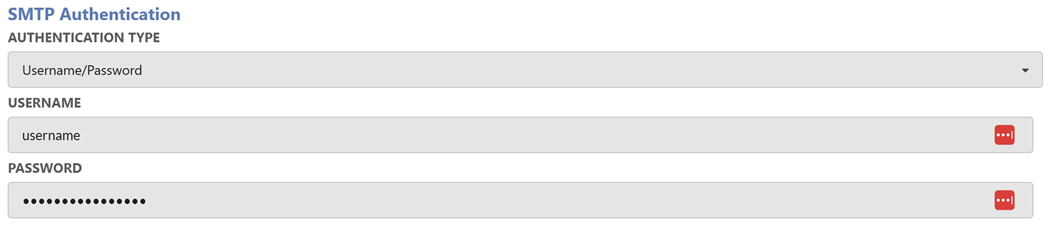 Choose this option if your SMTP server is secured by a username and password.
Supply the values of the SMTP's username and password to the respective fields
CERTFICATE
 Choose this option if your SMTP server is protected by a certificate.
Provide the certificate friendly name of the SMTP certificate to the respective field.
MAIL HOST
The mail host is used to send all email notifications from.
MAIL PORT
The mail port allows for email notifications to be sent.
SEND FROM
The email address from which all email notifications are sent from.
LICENSE EXPIRY CONTACTS
Provide the email addresses of the users who shall receive an email notification when the FYB Connect license is due to expire. Multiple contacts can be added by adding a ';' between each contact (e.g. name@company.com.au; secondname@company.com.au).
ERROR CONTACTS
Provide the email addresses of the users who shall receive an email notification when errors have occurred after archiving a Fileshare. Multiple contacts can be added by adding a ';' between each contact. (e.g. name@company.com.au; secondname@company.com.au).
LICENSE
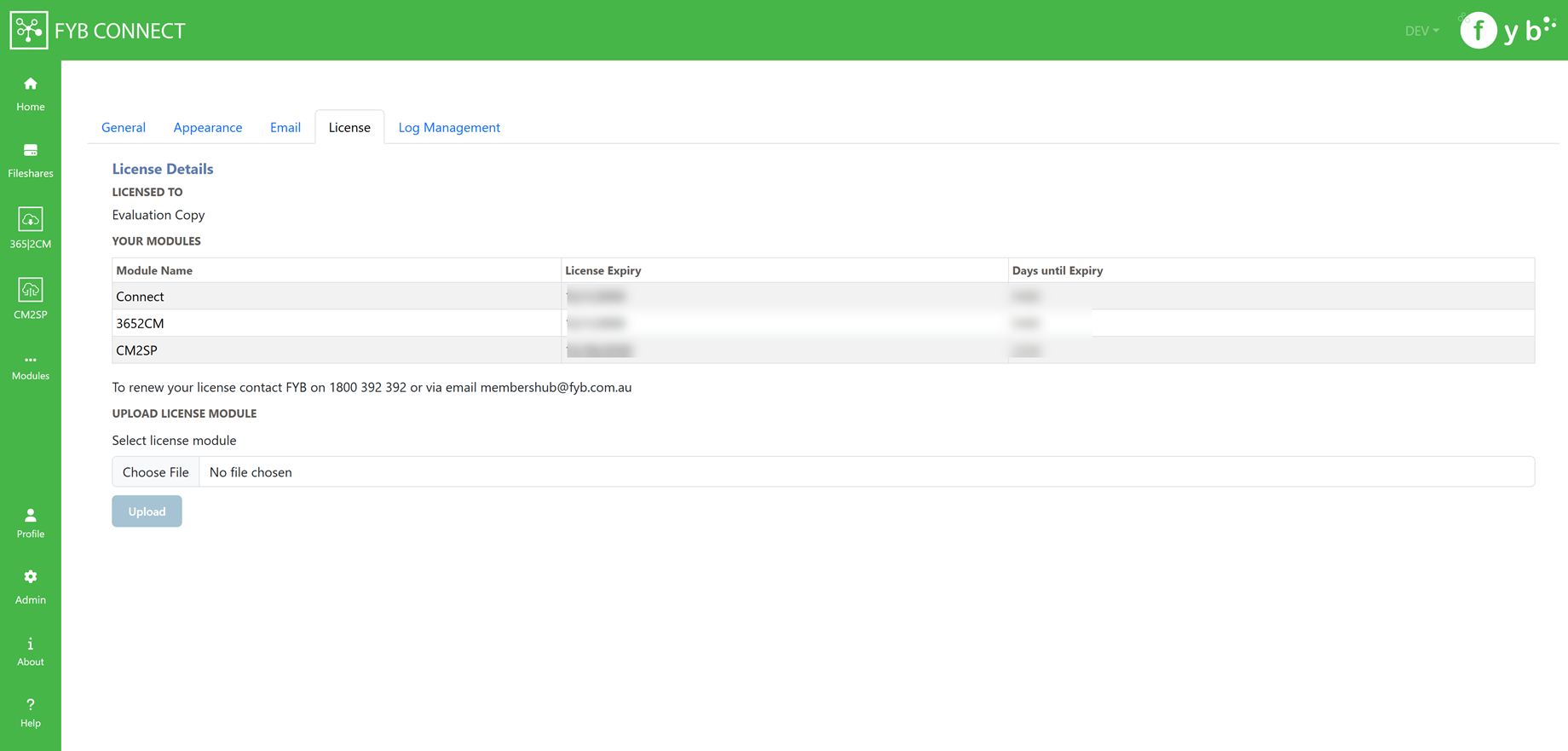 Please see the dedicated License Update guide for more details on this section.
HIDE MODULE
Click the checkbox to hide a module that you are licensed to. This will hide the module from the FYB Connect interface.
LOG MANAGEMENT
This section is for configuring and automating the deletion of FYB Connect Log files. The scheduler will run every day at 12:00 am to check for logs to be deleted/archived.
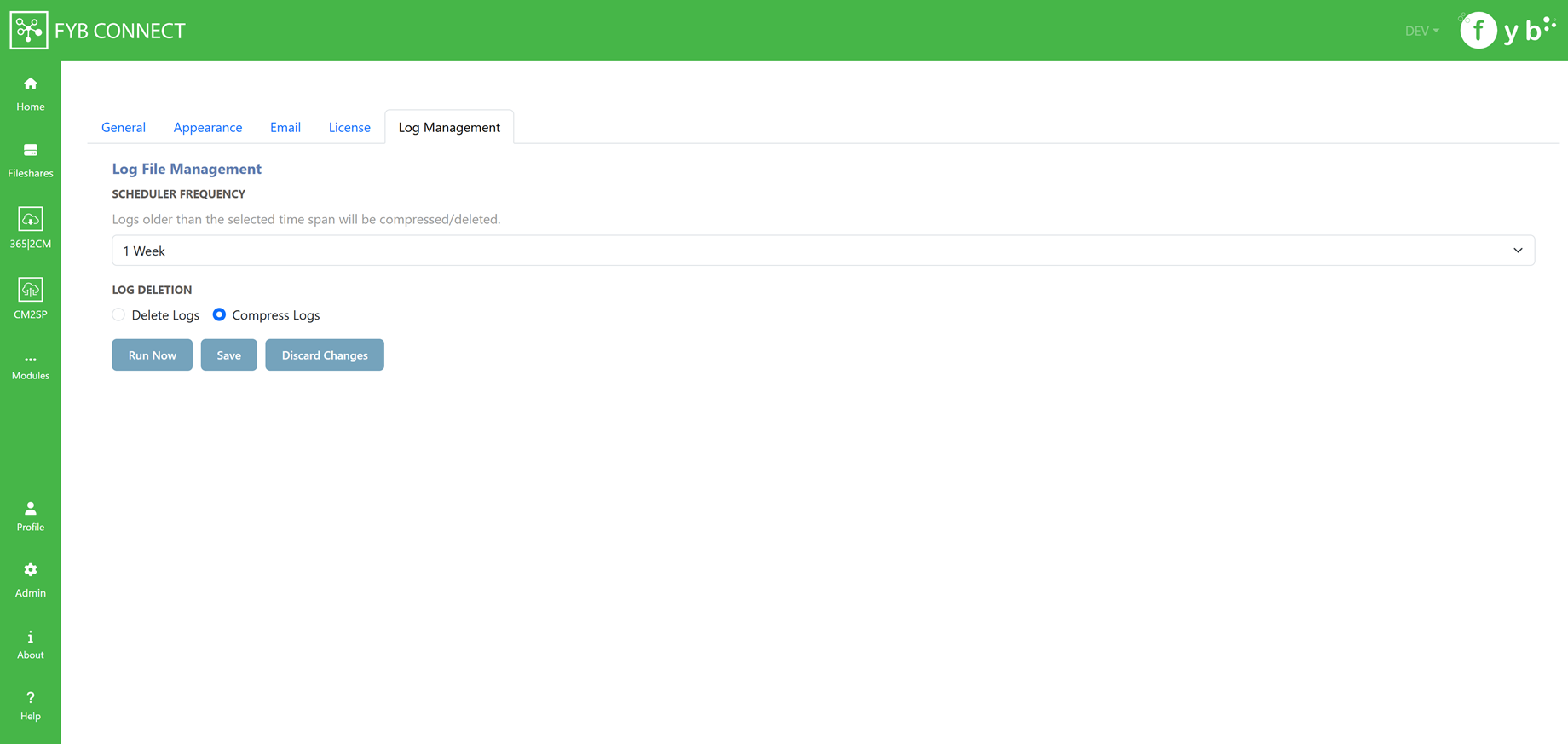
SCHEDULER FREQUENCY
Logs older than the selected time span will be compressed/deleted.
LOG DELETION
Select if the logs should be deleted or compressed
RUN NOW
Clicking the Run Now button will compress/delete logs based on the current Log File Management configuration.